Why Do My Bluetooth Earbuds Keep Disconnecting? 6 Real Causes and Fixes

Xinwld A97 Pro Wireless Earbuds
Why Do My Bluetooth Earbuds Keep Disconnecting? 6 Real Causes and Fixes
Your music cuts out. Not once. Not twice. Every single time the train goes underground, or you walk past that one coffee shop on 5th Street, or you dare to put your phone in your back pocket. The left earbud goes silent first, then the right follows, and you are left staring at nothing, wondering whether the problem is you, your phone, or the $25 piece of plastic in your ear.
It is not you. Bluetooth disconnection is one of the most common complaints among wireless earbud users, and the reasons behind it are surprisingly specific, surprisingly fixable, and almost never what the manufacturer's FAQ page tells you.
The 2.4GHz Crowded Room
Every Bluetooth device you own -- your earbuds, your smartwatch, your wireless mouse, your neighbor's baby monitor -- operates on the 2.4GHz frequency band. Think of it as a single hallway in a building where thousands of people are trying to have private conversations at the same time. According to CNET's analysis of wireless audio issues, 2.4GHz WiFi interference is the single leading cause of Bluetooth dropouts in urban environments.
Your router, your microwave, fluorescent lighting ballasts, and even some LED bulbs broadcast on or near this same frequency. When your earbuds and your router both shout on channel 36 at the same moment, your audio stutters. This is not a defect. It is physics.
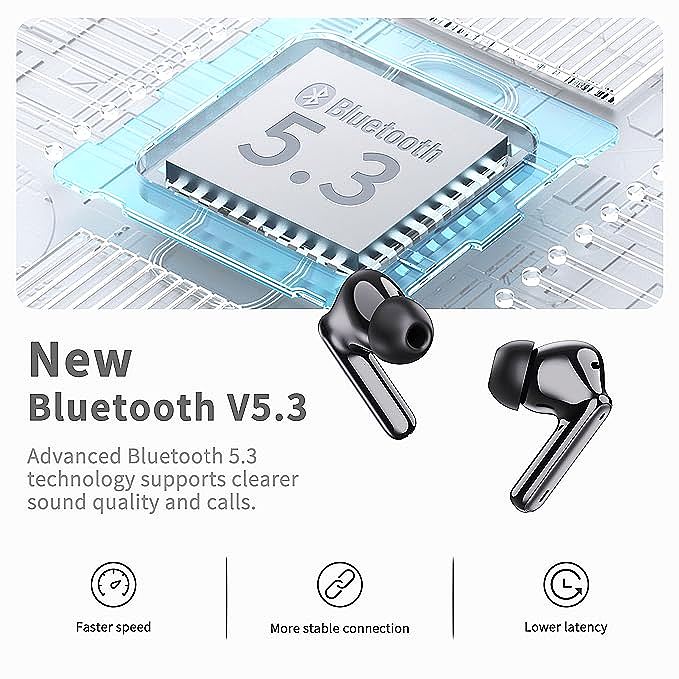
Bluetooth 5.3 introduces something called channel classification -- a technique where the earbuds actively map which frequency channels are congested and avoid them. The Bluetooth SIG's official specification notes that this feature can reduce interference-related disconnections from roughly 12% to under 5% in crowded environments. If your earbuds still run Bluetooth 5.0 or earlier, they lack this intelligence entirely. They just pick a channel and hope for the best.
Your Body Is a Signal Blocker
Here is something most troubleshooting guides skip: the human body is roughly 60% water, and water absorbs 2.4GHz radio waves remarkably well. When you put your phone in your back pocket and your earbuds in your ears, your torso sits directly between the transmitter and the receiver. The signal has to pass through several inches of water-rich tissue.
This is why right-ear dropout happens more often than left-ear dropout for right-handed phone users. The geometry is worse. The signal path is longer and passes through more of your body. Outdoor runners experience this acutely -- when you turn your head away from the phone, the signal can degrade by 10-15 dB, which is enough to cause a momentary dropout.
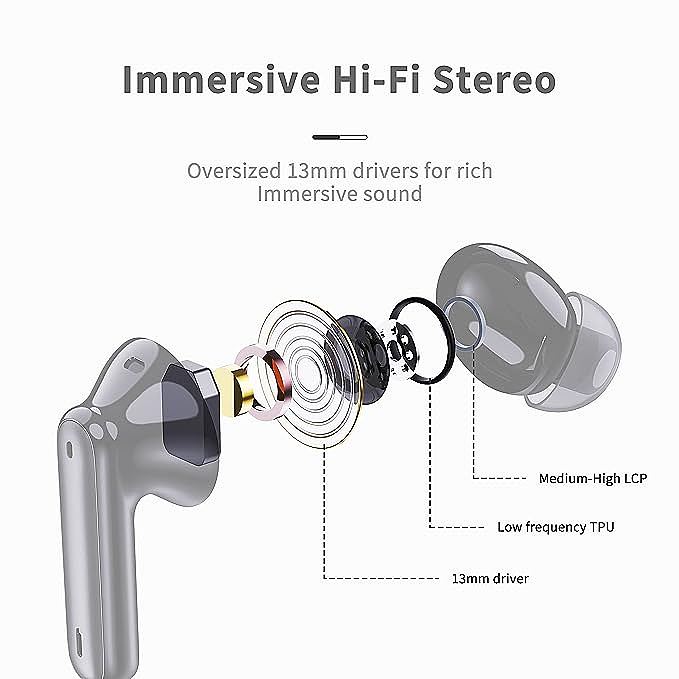
Earbuds with Bluetooth 5.3 handle this compared to older models, not because they transmit more power, but because they switch channels faster when they detect signal degradation. But no Bluetooth earbud can fully overcome the laws of electromagnetic absorption.
When Only One Earbud Goes Silent
True Wireless Stereo (TWS) earbuds have a particular vulnerability that wired earbuds never had: the relay problem. In most TWS designs, the primary earbud connects to your phone, then re-transmits the signal to the secondary earbud. This means the secondary earbud depends on two wireless links instead of one. If either link fails, that earbud goes silent.
The most common cause is not distance. It is the charging contacts. Over weeks of use, sweat, skin oils, and pocket lint build up on the copper contact points inside the charging case and on the earbuds themselves. This creates a thin insulating layer that prevents the earbuds from properly syncing their firmware state when you take them out of the case. One earbud thinks it is still paired; the other is ready for a fresh connection. They disagree, and one goes silent.
The fix is mechanical, not digital. A cotton swab with a small amount of rubbing alcohol, gently cleaned over the charging pins once every two weeks, eliminates this class of problem almost entirely.
ENC, ANC, and the RF Power Budget
This is where understanding what your earbuds actually do inside matters. Environmental Noise Cancellation (ENC) uses multiple microphones to isolate your voice during phone calls. Active Noise Cancellation (ANC) uses microphones to generate anti-noise for your ears. They sound similar but draw power in very different ways.
ENC does not consume significant radio-frequency bandwidth on its own, but during a phone call, the earbuds are simultaneously maintaining a Bluetooth link, processing microphone arrays, and encoding your voice. This triples the workload on the earbud's processor. When the battery drops below roughly 20%, some earbuds begin throttling the Bluetooth connection strength to conserve power for the microphone processing, resulting in audio dropouts specifically during calls.
Budget earbuds with 4-microphone ENC arrays are particularly susceptible to this because they have more microphone channels to process simultaneously. If your earbuds disconnect primarily during calls rather than during music playback, low battery is almost certainly the culprit.
The iPhone Factor: AAC and the Bluetooth Stack
iPhone users face a specific set of Bluetooth quirks that Android users do not, and understanding them explains a lot of seemingly random disconnections.
iOS uses the AAC codec almost exclusively for Bluetooth audio. AAC is computationally expensive to encode -- more so than the standard SBC codec. The IEEE analysis of Bluetooth audio codecs found that AAC provides roughly 40% improvement in audio quality compared to SBC at equivalent bitrates, but this quality comes at a cost: higher processing latency and larger packet sizes.
When an iPhone is simultaneously running background apps, managing iCloud syncs, and encoding AAC audio, the Bluetooth transmitter can momentarily stall. This manifests as a brief dropout or, in severe cases, a full disconnection that requires you to put the earbuds back in the case to re-pair.
Apple's own AirPods partially work around this with a proprietary chip (the H1/H2) that handles AAC encoding on a dedicated processor. Third-party earbuds, even those with excellent AAC support, must rely on the phone's main processor to handle encoding, which means they compete with everything else your iPhone is doing.
A practical mitigation: close background apps you are not actively using, and disable background app refresh for heavy apps before long listening sessions. This frees processor cycles for the Bluetooth stack and reduces dropouts noticeably.
The Multi-Device Trap
You paired your earbuds with your phone. Then your laptop. Then your tablet. Now they keep disconnecting from your phone. Why?
Most Bluetooth earbuds support pairing with multiple devices but do not support true simultaneous multipoint connection. When your earbuds are connected to your phone and your laptop is also in pairing mode or actively scanning, the laptop can periodically send connection requests that confuse the earbuds' Bluetooth controller. The earbuds briefly attempt to negotiate with the laptop, lose the phone connection, and then fail to connect to the laptop because you did not explicitly switch.
This manifests as random 2-3 second dropouts that happen at irregular intervals, often when you are sitting at a desk with multiple devices nearby. The solution is simple: open your Bluetooth settings on every device except the one you want to use, and tell each one to "forget" the earbuds. Re-pair only with the device you use most. If you need to switch devices, do it deliberately through the Bluetooth menu, not by proximity.
The Maintenance Checklist Nobody Tells You About
Most articles about Bluetooth disconnection focus on fixing the problem after it happens. Almost none discuss preventing it. This is a gap worth filling.
Clean the charging contacts. As mentioned earlier, oil and lint buildup on the copper pins is the number one mechanical cause of single-earbud dropout. Isopropyl alcohol on a cotton swab, every two weeks.
Clear the Bluetooth cache. On Android, go to Settings > Apps > Bluetooth > Storage > Clear Cache. On iOS, the only way is to "Forget This Device" and re-pair. Do this monthly. Corrupted pairing data is a silent killer of connection stability.
Dry your earbuds before charging. An IP7 rating means the earbuds survive water, but the charging case does not have the same protection. Putting wet earbuds into the case introduces moisture to the charging contacts, which accelerates corrosion. The IEC 60529 standard explicitly notes that IPX7 submersion ratings apply to freshwater only -- sweat and chlorinated pool water are more corrosive than the test conditions.
Replace ear tips when they lose elasticity. A loose ear tip reduces the physical seal in your ear canal. This does not just affect bass response; it changes how the earbuds sit in your ear, which can shift the antenna orientation relative to your phone, degrading signal strength by several dB.
When to Stop Fixing and Start Replacing
Not every disconnection problem is fixable. Here is a .
If your earbuds disconnect in the first month of ownership, the issue is almost certainly environmental or device-related. Follow the troubleshooting steps above. If they disconnect only in specific locations (your office, a particular subway line), the problem is localized interference. Change the environment or accept it.
If the dropouts start after 6-12 months of regular use and happen everywhere, the battery is likely degrading. Lithium-ion cells in wireless earbuds are tiny -- typically 40-60mAh per earbud. After 300-400 charge cycles, their capacity drops to roughly 80% of the original rating. At that point, the earbuds cannot sustain the voltage needed for stable Bluetooth transmission, especially under the additional load of ENC or AAC encoding.
When replacement time comes, the features that matter most for connection stability are Bluetooth version (5.3 or later, for channel classification), codec support (AAC for iPhone users), and antenna design. A product like the ()these earbuds
Xinwld A97 Pro Wireless Earbuds
Related Essays
Why Your Wireless Earbuds Keep Cutting Out -- The Physics of Bluetooth Stability

The Physics of Hybrid ANC: Why Budget Earphones Are Catching Up
