Bluetooth 5.3 Signal Stability: The 2.4GHz Frequency Band Battle

PALOVUE EarSound Wireless Earbuds
Your music cuts out. Not once, not twice, but every time you walk past the kitchen. The coffee shop, the subway platform, the office lobby -- each environment turns your wireless earbuds into a stuttering mess. You check the battery. Full. You check the phone. Connected. Yet the audio drops keep coming, and you cannot figure out why.
The wireless earbuds sit in your ears, Bluetooth 5.3 active, and still the signal wavers. The problem is not the earbuds. The problem is invisible, crowded, and shared by every wireless device within thirty feet.
The practical consequence of these antenna limitations becomes apparent when comparing line-of-sight versus obstructed reception: a device operating at 3dB below optimal sensitivity will experience packet error rates approximately ten times higher than theoretical predictions, which explains the characteristic user reports of earbuds working perfectly in open spaces but failing in crowded environments. This degradation compounds with each additional obstacle between the source and the receiver, creating the familiar experience of audio dropout in everyday scenarios that should theoretically support stable connectivity.
The 2.4GHz Commons: A Shared Resource Nobody Manages
The 2.4GHz ISM band is a patch of radio spectrum set aside globally for industrial, scientific, and medical use. No license required. No central coordinator. Any device that follows basic transmission rules can broadcast here, which means everything does.
Wi-Fi routers blast data across channels 1 through 13, each channel consuming 22MHz of bandwidth with transmission power up to 20dBm. Microwave ovens -- those 30dBm noise generators in every kitchen -- flood the band with broadband interference the moment they start heating your lunch. Bluetooth devices hum along at 0 to 10dBm. ZigBee sensors chirp at 5dBm. Wireless security cameras push video at 15dBm. The result is a spectrum that resembles a busy intersection with no traffic lights.
Three types of interference operate in this chaos. Co-channel interference happens when two devices transmit on the same frequency at the same time -- like two people shouting in the same room. Adjacent-channel interference leaks from neighboring frequencies, the radio equivalent of hearing your neighbor's television through thin walls. Blocking interference occurs when a high-power transmitter near your receiver desensitizes it, making weak signals impossible to detect even on clear channels.
Indoor environments compound the problem. Walls reflect and absorb 2.4GHz signals, creating multipath interference where the same signal arrives at your earbuds multiple times at slightly different delays. Furniture, metal fixtures, even water-filled objects scatter the radio waves. The signal your phone sent in a clean line reaches your earbuds as a smeared echo, and the receiver has to sort through the mess.
When you connect your phone, laptop, and tablet simultaneously, the Bluetooth scheduler must juggle multiple logical links across the same hopping sequence. Each additional connection fragments the available time slots, increasing the probability that a packet arrives late or gets dropped. BLE beacon broadcasts from nearby fitness trackers and smart home devices add yet another layer of traffic to the same 79 channels, raising the baseline noise level even when none of them are paired to your earbuds.
Frequency Hopping: 1,600 Switches Per Second
Bluetooth's answer to this congestion is deceptively simple: never stay in one place long enough to be hit. The technique is called Frequency-Hopping Spread Spectrum, or FHSS, and it has roots in military radio designs from the 1940s. The idea originated with actress Hedy Lamarr and composer George Antheil, who patented a frequency-hopping torpedo guidance system in 1942. Their invention used 88 frequencies synchronized by a piano-roll mechanism. Bluetooth uses the same principle, scaled up with modern silicon.
Here is how it works. The 2.4GHz ISM band is divided into 79 channels, each 1MHz wide. A Bluetooth connection hops among these channels 1,600 times per second, spending just 625 microseconds on any given channel before jumping to the next. Both the transmitter and the receiver follow the same pseudo-random sequence, so they always land on the same channel at the same time. Any interference on one channel affects only that tiny 625-microsecond window before the signal moves on.
Think of it as a conversation where you and your friend change rooms every sentence. Even if one room is noisy, the next room might be quiet, and the conversation continues with only brief interruptions.
The mathematics behind this are straightforward. If 20 out of 79 channels are experiencing interference at any moment, a single-frequency transmission would fail entirely on those channels. A frequency-hopping transmission loses only 20 out of every 79 hops -- roughly 25 percent of data packets. Error correction and retransmission protocols handle the rest, maintaining a usable connection even in hostile spectrum conditions.
The modulation scheme matters here too. Bluetooth uses GFSK (Gaussian Frequency Shift Keying) for basic rate transmissions, DQPSK for enhanced data rate, and 8DPSK for the highest throughput. Each scheme trades interference-resistantness for speed. GFSK is the most resistant to interference but carries the least data per symbol. When the channel quality degrades, the link controller can fall back to a more interference-resistant modulation, sacrificing throughput to keep the connection alive. This fallback happens automatically and is one reason why audio quality sometimes degrades before a full dropout occurs.
Adaptive Frequency Hopping: Learning to Avoid the Noise
Basic FHSS treats all 79 channels equally, hopping across them regardless of whether they are noisy or clear. Bluetooth's Adaptive Frequency Hopping, or AFH, adds a learning mechanism. The receiver continuously measures the signal quality on each channel. Channels that consistently show high error rates get marked as bad and removed from the hopping sequence.
This is the difference between randomly walking through a building and remembering which hallways have construction noise. AFH lets Bluetooth avoid the channels occupied by your Wi-Fi router, the ones being hammered by the microwave, and the ones flooded by your neighbor's wireless camera. The hopping sequence shrinks from 79 channels to however many are actually usable, concentrating the signal where it has a fighting chance.
AFH has been part of Bluetooth since version 1.2, but its effectiveness depends on how quickly and accurately the device can classify channels. In environments where interference patterns change rapidly -- a train station during rush hour, for instance -- the classification needs to update fast enough to keep up. The minimum number of channels required for a Bluetooth connection to remain stable is 20. If AFH marks too many channels as bad, the connection cannot sustain itself even on the remaining clear frequencies.
Channel Classification: Bluetooth 5.3's Smarter Interference Map
Bluetooth 5.3 introduces an upgraded Channel Classification mechanism that gives devices a more responsive way to track and avoid interference. Previous versions classified channels on a relatively slow cycle, which meant the hopping sequence could lag behind the actual interference environment. The updated mechanism allows devices to monitor channel conditions more frequently and flag problematic channels with less delay.
The practical effect is measurable. According to Bluetooth SIG specification data, Bluetooth 5.3 devices in Wi-Fi-dense environments show approximately 60 percent fewer disconnections compared to Bluetooth 5.0 devices. The improvement comes not from a single feature but from the combination of faster channel assessment, more granular classification, and tighter integration between the link layer and the radio.
Consider a typical apartment building. Your router sits on Wi-Fi channel 6, your neighbor's on channel 1, another on channel 11. Those three channels consume a combined 66MHz of the 79MHz available to Bluetooth. AFH would avoid those channels, but only after detecting and classifying them. Bluetooth 5.3's Channel Classification speeds up this detection, reducing the window where the device hops into a known-bad channel. In an environment where interference patterns shift -- someone turns on a microwave, a new Wi-Fi network appears -- the faster classification makes the difference between a stable connection and audible dropouts.
The classification algorithm evaluates multiple metrics per channel: packet error rate, received signal strength indicator readings, and CRC failure counts. By combining these signals rather than relying on a single metric, the algorithm reduces false positives -- channels incorrectly marked as bad -- and false negatives -- noisy channels left in the hopping sequence. Fewer false positives means more channels available for hopping, which directly improves throughput. Fewer false negatives means fewer corrupted packets, which reduces retransmissions and the latency they introduce.
Why Signal Drops Still Happen
Even with FHSS, AFH, and Channel Classification working together, disconnections still occur. Understanding why requires looking at the limits of these techniques.
First, there is a minimum number of channels required for Bluetooth to maintain a connection. If interference occupies too many channels simultaneously, the hopping sequence runs out of usable frequencies. In extremely congested environments -- think of a tech conference floor with hundreds of active devices -- even 79 channels may not provide enough clean spectrum.
Second, multipath interference is not a channel-specific problem. It occurs when reflected signals arrive at the receiver out of phase, cancelling the direct signal. FHSS cannot hop away from multipath because the reflections follow the same hop. Only directional antennas or spatial diversity can mitigate it, and the tiny form factor of wireless earbuds leaves little room for either.
Third, blocking interference from a nearby high-power transmitter raises the noise floor across the entire band. If you stand next to a Wi-Fi access point pumping 20dBm, your earbuds' 0 to 10dBm signal gets swamped regardless of which channel it lands on. AFH cannot classify channels as bad fast enough when every channel is degraded.
Finally, Bluetooth's own protocol adds overhead. Each hop requires synchronization between transmitter and receiver. The link layer must exchange timing information, and any missed synchronization window causes a brief dropout. With 1,600 hops per second, the margin for error is thin.
The Physics of Small Antennas and Short Range
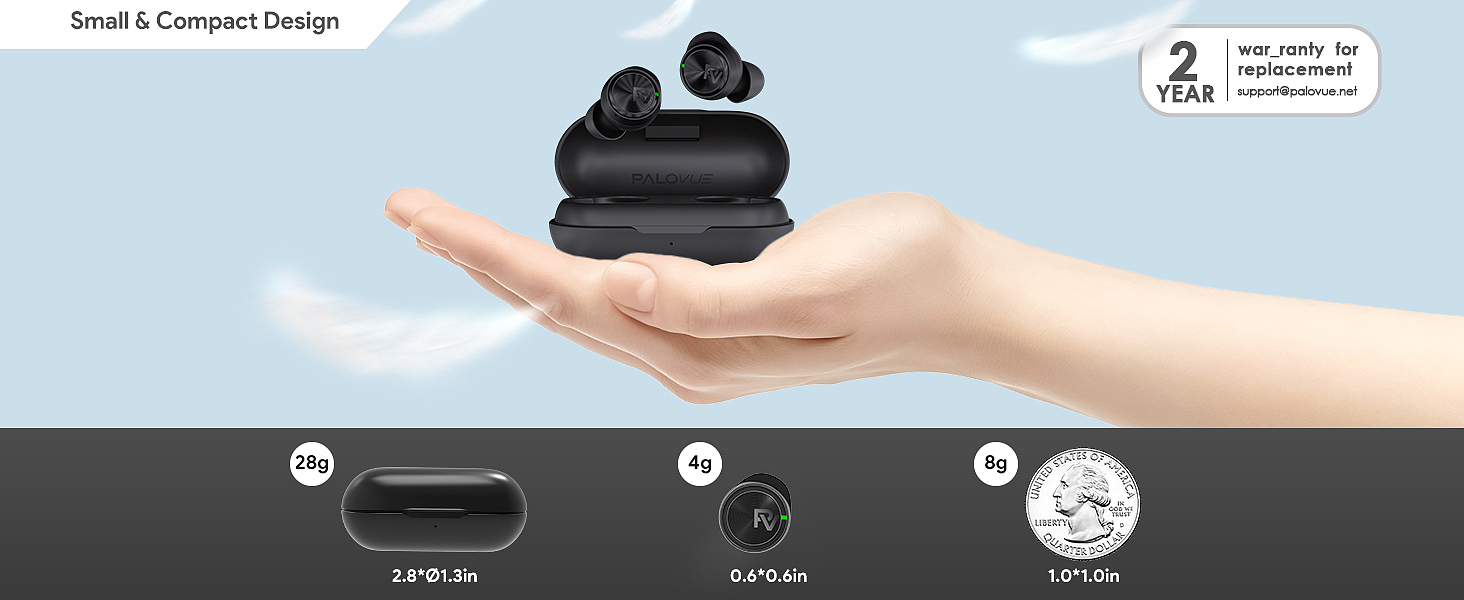
Wireless earbuds face an additional constraint that larger devices do not: antenna size. The efficiency of an antenna is directly related to its physical length relative to the wavelength it transmits. At 2.4GHz, the wavelength is approximately 12.5 centimeters. A well-optimized antenna would be a quarter wavelength -- about 3.1 centimeters. Earbuds, with their compact form factor, often use antennas shorter than this ideal length, accepting reduced efficiency in exchange for size.
Reduced antenna efficiency means less transmitted power and less received sensitivity. The 10-meter range commonly quoted for Bluetooth devices assumes a clear line of sight and well-optimized antennas. In practice, earbuds communicating with a phone in a pocket or bag operate at a fraction of that theoretical range, and every wall, body, or piece of furniture between the two further degrades the signal.
This is why the same earbuds might work flawlessly at home but struggle in a crowded train. At home, the earbuds and phone are close, interference is moderate, and the antenna efficiency is sufficient. On the train, distance increases, bodies absorb and scatter the signal, and dozens of other Bluetooth and Wi-Fi devices compete for the same spectrum. The connection does not degrade gradually. It works until it does not, and then it drops.
The human body itself is a significant obstacle at 2.4GHz. Water absorbs radio energy at this frequency, and the human body is roughly 60 percent water. Placing your phone in a back pocket while wearing earbuds means the signal must pass through your torso, losing several decibels in the process. A front pocket on the same side as the earbuds can improve reception by 3 to 6dB -- enough to make the difference between a stable connection and a dropout in marginal conditions.
Practical Steps for More Stable Connections
Understanding the physics of the 2.4GHz band suggests concrete actions. Keep your phone and earbuds on the same side of your body to reduce signal absorption. Avoid placing your phone in a back pocket or a bag when possible. If you are in a crowded wireless environment, moving even a few meters can shift the interference pattern enough to improve reception. Switching your home Wi-Fi router to 5GHz where possible frees up the 2.4GHz band for Bluetooth.
The human body absorbs 2.4GHz radio energy at approximately 0.3dB per centimeter of water, which explains why torso-placed phones create the characteristic dead zones experienced during calls.
Bluetooth 5.3's improvements make a real difference, but they are not magic. They are the product of better algorithms operating within the same physical constraints. The FHSS mechanism still hops, AFH still avoids, and Channel Classification still learns. The difference is that these processes happen faster and with more precision, which translates to fewer audible interruptions in the environments where most people actually use wireless earbuds.
The Paradox of Shared Spectrum
There is a fundamental tension at the heart of wireless audio. The 2.4GHz band exists because regulators decided that some spectrum should be free for anyone to use. That openness enabled Bluetooth, Wi-Fi, and countless other technologies that now define daily life. But openness also means congestion, and congestion means interference, and interference means the music stops.
Every generation of Bluetooth improves the intelligence with which devices handle this shared resource. Bluetooth 5.3's Channel Classification is a step forward -- not because it changes the physics of radio propagation, but because it helps devices respond to those physics more quickly. The 2.4GHz band will only get more crowded as more devices ship with wireless capabilities. The question is not whether interference will increase, but whether our protocols can adapt fast enough to stay ahead of it.
The silence between songs, that brief dropout on the subway platform, is the sound of a protocol racing to find a clear channel before the next hop. Most of the time, it wins. When it does not, you hear it. That failure is not a defect in the earbuds. It is the cost of sharing a finite resource with everyone else in the room.
PALOVUE EarSound Wireless Earbuds
Related Essays

OMFG BB13 Wireless Earbuds - Advanced Features and Comfortable Design

Keklle2 Wireless Earbuds – Crystal Clear Sound and Waterproof Design

HITY A4 Wireless Earbuds Bluetooth 5.3 Headphones Touch Control – Top Choice for Music Enthusiasts

PloutoRich Wireless Earbuds with LED Display Charging Case – A Stylish and Versatile Choice

Zonyee Wireless Bluetooth Earbuds - Immersive Sound Experience

DGLighting Wireless Earbuds – Recommended for Comfort and Sound Quality

RICOO I14 Wireless Earbud AIR 2 Pro – A Premium Audio Experience
FOYCOY A11 68 Hour Battery: How It Works | 2026

The Economics of Budget Audio: How $20 Earbuds Achieve High Fidelity
