Bluetooth Headset Faults Explained: Mic Dropouts, Choppy Audio, and Wind Noise
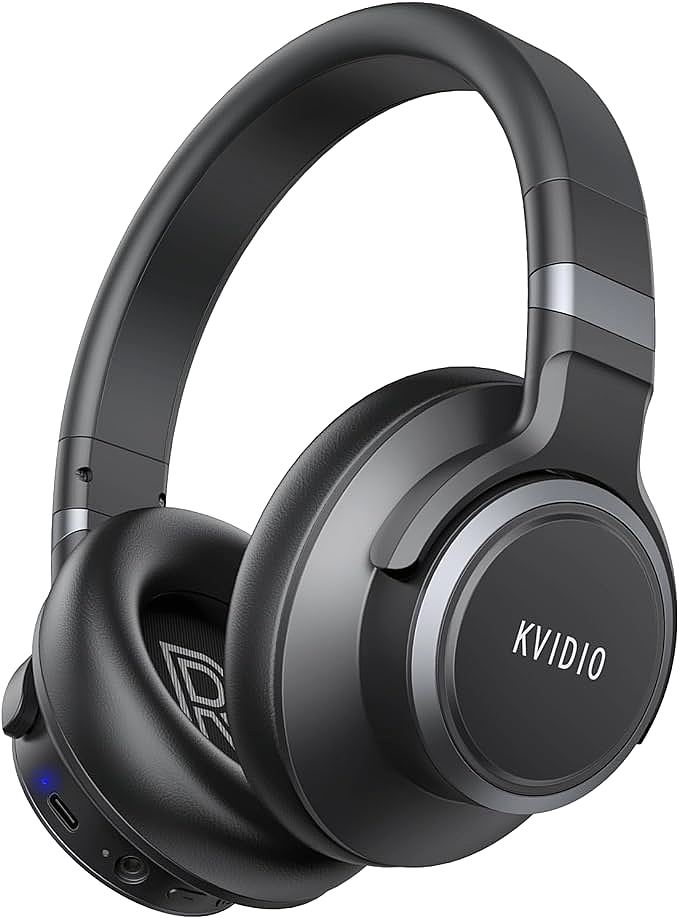
KVIDIO WH304 Active Noise Cancelling Headphones
When a Headset Goes Quiet Mid-Call
The call connects, the other person starts talking, and then they stop responding. You raise your voice. Nothing. The music was fine ten minutes ago, but the microphone has gone silent, or the audio has turned into a stutter. Search any headphone forum and you will find versions of this story posted daily.
On one Reddit thread about a twenty-three-dollar over-ear headset, owners compared notes on dead microphones. On a repair Q&A site, a technician walked a buyer through the same Bluetooth stutter that has accompanied the protocol since it shipped. The headset in those threads, a low-cost noise-cancelling model from KVIDIO, is not uniquely defective. It is representative of how wireless headsets fail.
The mechanisms behind these failures are few and knowable. What follows explains each one, what causes it, and how to work through a fault without wasting an evening on random button presses. The same handful of causes sits behind almost every report of bluetooth headset audio dropouts in those threads.
Why Microphones Fail in Bluetooth Headsets
A wireless headset routes its microphone through a longer chain than a wired phone. The capsule converts sound pressure into a tiny analog signal. A codec chip digitizes it. A Bluetooth stack packages the samples and ships them over a radio link. The host device unpacks them and hands them to the calling app. A failure at any link produces the same symptom: the other person hears nothing.
Two of those links account for most reports. The first is mode switching. Bluetooth audio runs on two profiles with different priorities. Music uses A2DP, a one-way stream built for quality. Calls use HFP, a two-way channel that reallocates bandwidth so speech can travel in both directions at once. When a call begins, the headset and the phone must renegotiate the link on the fly. Some firmware handles this handoff badly, and the microphone path never opens. The headset still plays music. It simply never switches into call mode. The signature of this fault is that audio works until a call starts, then one side goes silent. The two profiles run in parallel inside the chip, and a bug in the transition between them can strand the mic input in the wrong branch of the state machine.
The second is the wired detour. Inexpensive over-ear headsets ship with an auxiliary cable for battery-free listening, the standard small jack that any phone and most cars accept. Plug it in and the internal microphone is bypassed, because the cable carries its own mic signal on a fourth conductor, the TRRS standard. A worn jack or a half-inserted plug can leave the headset thinking a cable is present even after it is removed. When the user switches back to Bluetooth, the firmware still routes audio toward the jack. Unplugging cleanly, cycling power, and letting the jack settle usually clears it. Owners who report a mic that works in one mode but not the other are usually describing this detour.
One more culprit hides on the host side. Operating systems remember an input device per application. A laptop can hold onto a webcam microphone. A phone can route a call toward a device that is no longer connected. If the headset mic works in one app but not another, the fault is in the host's input selection, not in the headset. The test takes ten seconds: try the mic in a different app, then on a different device, before touching any headset settings.
The Pairing State Machine: Why Bluetooth Drops and Stutters
Choppy audio feels like a radio problem, and sometimes it is. Bluetooth Classic transmits on 79 channels, each 1 MHz wide, in the crowded 2.4 GHz band, the same slice of spectrum occupied by Wi-Fi routers, wireless keyboards, and microwave ovens. The link hops among those channels up to 1,600 times per second to dodge interference, the same frequency-hopping behavior that explains why wireless earbuds drop out near crowded routers. A busy router can still compress the usable bandwidth. The headset responds by dropping packets, and the codec keeps playing whatever fragments arrive. That is stutter, not silence. Most bluetooth headset audio dropouts that come and go with location trace back to this band.
Packet loss is not the only cause, and it is rarely the only one. A second source is buffer starvation on the host. The phone or laptop feeds audio into a buffer that the Bluetooth radio drains in real time. When the host gets busy, the buffer empties and playback skips. This kind of stutter follows the host, not the headset. The same pair will play clean audio from one phone and skip on another.
A third source is the pairing table itself. Most headsets store several bonded devices and try to reconnect to the last one whenever they power on. If two remembered devices are nearby, they can fight over the link, each briefly stealing the connection. The audio chops as the headset bounces between masters. Deleting stale pairings removes the tug-of-war.
The fixes follow from the causes. Move away from a busy router, close unnecessary browser tabs on a struggling laptop, and clear old pairings. If none of that helps, the factory reset described later wipes the state machine back to a clean slate.

Wind Noise and the Limits of Feedforward ANC
Active noise cancellation works by subtraction. A microphone samples incoming sound, a circuit inverts the phase, and the driver plays the inverted copy. Where the two waves meet at the eardrum, they cancel. The scheme only works as well as the sampling microphone, and that is where wind defeats it.
Wind is not sound in the ordinary sense. It is turbulent airflow pressing directly against the microphone membrane. The pressure fluctuations are enormous compared with acoustic waves, chaotic, and concentrated at low frequencies. The ANC circuit reads them as noise, generates an inverted signal, and drives the speaker hard to cancel something that was never acoustically in the ear canal. The listener hears rumble, and the battery drains while the system fights a phantom.
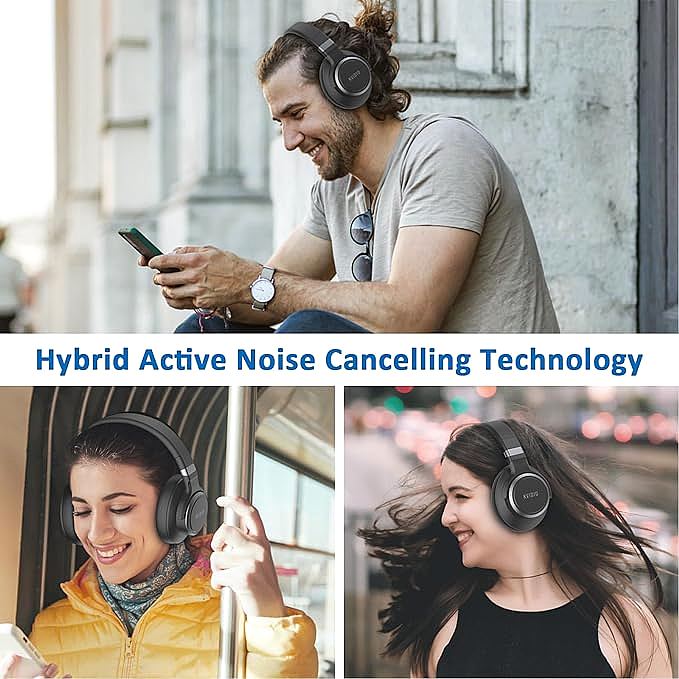
This is a physics limit, not a software bug. Environmental interference defeats wireless audio in other ways as well; moisture is just as hostile to the radio link as turbulence is to a sampling microphone. Pricier designs soften it with a second, feedback microphone inside the ear cup, or with a windscreen over the outer mic, or by detecting wind and dialing the cancellation back automatically. Low-cost designs like the KVIDIO WH304 rely on simpler topologies, so the practical advice is to work around the limit: switch to transparency mode, let the ear pads seal out the worst of the turbulence, and save ANC for still air. Manufacturer claims about percentage noise reduction describe a measurement fixture in a lab, not a windy street. No headset at any price cancels wind. Some just give up more gracefully.
Why Battery Life Drifts from the Promised Numbers
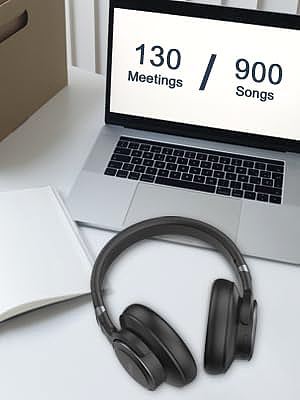
The spec sheet promises a number, say seventy hours of playback, dropping to forty with noise cancellation running. Owners who measure real usage often report different figures, and the gap is not dishonesty. It is how batteries behave in the field.
Three variables move the number. Loudness is the first. The mid-size dynamic drivers in an over-ear headset are efficient, but every added decibel of bass costs more current than the reference level the manufacturer tested at. Codec choice is the second. Higher-bitrate streams wake the radio more often and shorten playback. Temperature is the third. Lithium-ion cells deliver less capacity in the cold, and sustained heat accelerates self-discharge. A headset worn outdoors in winter will fall short of the printed figure. These effects are approximate, but they routinely explain a ten-to-twenty percent gap between promise and practice.
ANC adds a constant load that does not scale with volume. The cancellation electronics, the sampling microphone, and the DSP all draw current every second the switch is on. That is why the ANC figure is a fixed subtraction from the standard figure rather than a percentage of it.
Published figures for this class run from sixty-five to seventy hours in standard mode down to forty with cancellation engaged, and both assume moderate volume in a warm room. On a cold commute at high volume, expect the same ten-to-twenty percent slide on both, since the ANC figure is a fixed subtraction from a shrinking total.
One more quirk lives in the battery gauge. The chip that estimates remaining charge learns the cell's discharge curve over a few full cycles. A new headset, or one that has only ever seen short top-ups, can show a percentage that drifts from reality, jumping or dropping suddenly. Running the cell down to empty once and recharging it to full recalibrates the gauge. It does not improve the battery itself, only the estimate.
Fast charging is where chemistry enters. A five-minute charge yielding four hours of playback means the cell absorbs current at a high C-rate, which generates heat. Lithium cells tolerate this for hundreds of cycles before capacity fades measurably. The practical takeaway: short top-ups are fine, deep discharge wears the cell faster, and heat inside a parked car does more damage than any charging habit.
Working Through a Fault: A Methodical Reset Routine
When a headset misbehaves, the instinct is to try one fix, then another, in no particular order. A cleaner approach separates the system into three layers: the physical link (jack, cable, charge port), the device state (pairings, mode switches, firmware), and the host (Bluetooth stack, audio routing, app settings). Most bluetooth headset audio dropouts trace to one of those three layers.
Physical Layer: Jack, Cable, and Charge Port
The first layer costs nothing to check. A half-seated auxiliary plug convinces the headset that a cable is present and keeps it out of Bluetooth mode, so push the plug fully home or pull it out entirely. Inspect the charge port for lint and swap in a known-good cable. Physical faults imitate software faults, and they are the cheapest to rule out.
Device State: Pairings, Modes, and Firmware
Clear the pairing list on both sides and re-pair from scratch. A large share of reported Bluetooth faults disappears at this step, because stale bonding data is the most common failure state in the protocol. If the pairing handshake itself is where you get stuck, this walkthrough of pairing modes and profile switches covers the sequence in detail.
For faults that survive re-pairing, the factory reset is the next tool. Manuals for this class of headset describe a button sequence, usually holding power and volume for several seconds until an LED pattern confirms the wipe. The reset clears more than the pairing table: it restores the ANC calibration, the voice prompt bank, and the default mode behavior.
Host: Bluetooth Cache and Audio Routing
Isolation comes first: play audio from a different source device. If the fault follows the headset, it is in the headset; if it stays with the source, it is in the host. The host side also holds softer tools, where forgetting the device and clearing the Bluetooth cache does much of a reset's cleanup without touching the headset. Watch the routing, too: a phone that keeps pointing calls at a device it can no longer reach will produce dropouts that look like a headset fault.
A note on procedure: reset once, then test. Repeated resets do not make a marginal connection more stable. If the symptom is intermittent, note the conditions. Does it appear only on calls, only outdoors, only after an hour of use? That observation, not another reset, is what points to the real cause.
Why an Inexpensive Headset Shares Faults with an Expensive One
The failure patterns above are not caused by inexpensive parts. They are caused by architecture. Nearly every Bluetooth headset on the market, from a twenty-dollar over-ear model to a flagship at fifteen times the price, runs on one of a small set of system-on-chip platforms from a few semiconductor vendors. The radio, the codec, the pairing state machine, and the ANC DSP are the same silicon.
What the price buys is different. It buys acoustic tuning, where a lab measures each driver and corrects its response. It buys materials: hinges and headbands that survive thousands of flex cycles. It buys a more elaborate ANC topology with more microphones. It does not buy a fundamentally different Bluetooth stack, because that stack is a commodity.
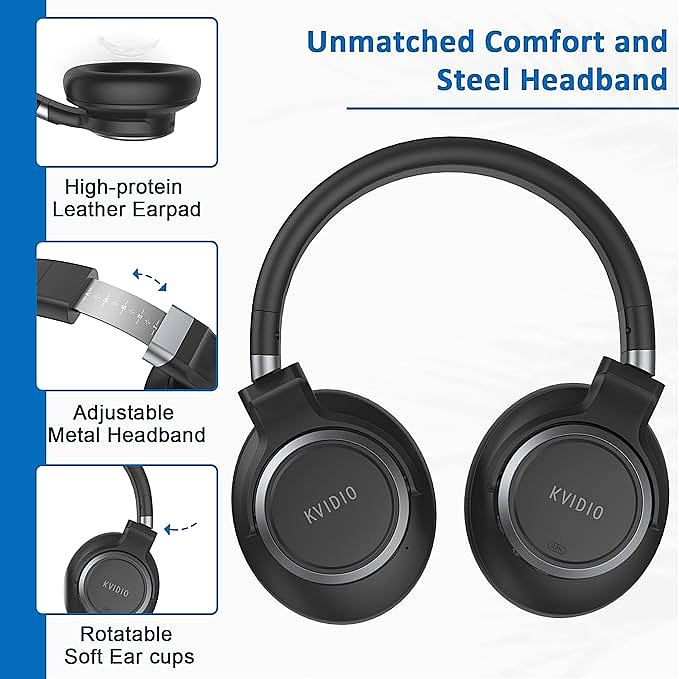
Comfort and fit follow the same economics, in reverse. Soft memory-foam ear pads and a moderate clamping force are inexpensive to get right, which is why reviewers routinely score budget models in this class highly on comfort while deducting points for build materials. Fit is also an acoustic component, not a luxury. A headband that loses tension or pads that flatten with age break the seal around the ear, and a broken seal leaks bass and starves the ANC system of the quiet baseline it needs to measure against. A headset that still clamps evenly after a year is quietly doing noise-cancellation work that no chip performs.
This is why community troubleshooting threads are so useful. The fix for a mic that fails in call mode transfers across brands and price tiers, because the failure lives in a state machine that a chip vendor wrote. A support forum functions as a distributed quality-assurance network: hundreds of owners collectively locating the same two or three seams in the firmware. The manual never mentions these seams. The community always finds them.

Does Fit and Seal Affect Connection and ANC?
Ear pads look like a comfort feature, but they are also the acoustic seal that half the signal chain depends on. Cancellation works by measuring what reaches the ear and playing back its inverse, and that measurement assumes a closed volume between driver and eardrum. Break the seal and two things happen at once: bass leaks away, and the residual noise the circuit hears no longer matches what it predicted. The cancellation floor rises before any circuit has failed.
Fit shapes the microphone side of the same story. A headset that slides when you move changes the distance between your voice and the capsule from moment to moment. Voice processing reacts the way it does to wind: it adjusts, overcorrects, and the far end hears a level that pumps.
None of this shows up as a pairing fault, so no reset will fix it. When dropouts and muffled calls arrive with a headband that slides, check the fit first.
What Owners Ask About Bluetooth Audio Dropouts
The same few questions turn up in every thread about bluetooth audio dropouts, and each has a mechanical answer.
Why Does My Bluetooth Headset Audio Cut Out During Calls
Calls are where the two audio profiles meet. Music runs on A2DP; a call forces a handoff to HFP, which reopens the link and routes the microphone through the same radio. Firmware that stumbles in that transition drops the call audio while leaving music untouched. When the cut arrives with every call, start with a clean re-pair; when it arrives only in a crowded room, interference is the likelier cause.
How Do I Fix Choppy Bluetooth Audio
Choppy playback is packet loss, and packet loss is usually local. Move the headset away from a router or a microwave, and close background tabs on a struggling laptop before blaming the headset. Then play the same track from a second phone: stutter that stays with the phone points to the buffer; stutter that follows the headset points to the pairing table.
Does ANC Make Wind Noise Worse
It can. A feedforward microphone cannot tell turbulent airflow from sound, so the circuit tries to cancel pressure fluctuations that were never acoustically present, which adds rumble and drains the battery. In wind, sealing the pads and switching to transparency mode removes the phantom the circuit was chasing.
The State Machine Mindset
A headset is a state machine with a speaker attached. Powered off, paired, in a call, playing music, ANC on, transparency on, resetting. Most faults are the machine getting stuck between states, and most fixes are ways of forcing a transition. The power cycle, the pairing clear, the factory reset: each one is a controlled shove to a stuck gear. The reset routine above restores three things at once, the pairing table, the ANC calibration, and the default mode behavior, which is why it clears symptoms that share no obvious cause. A microphone that dies only on calls and a rough-sounding transparency mode are often one stuck flag seen from two angles.
Seeing devices this way changes how you fix them. You stop asking why the device is bad and start asking which state it is stuck in and what input pushes it to the next one. The question transfers to routers, printers, cars, anything with firmware.
There is a design lesson on the other side. The well-engineered products are not the ones that never fail. They are the ones whose failures are legible: the LED blinks a code, the reset is documented, the symptom maps cleanly to a cause. Good engineering is not about adding features. It is about making the machine's internal state readable from the outside. The next time a headset goes quiet mid-call, you are not fighting a broken product. You are debugging a state machine, one reset at a time.
KVIDIO WH304 Active Noise Cancelling Headphones
Related Essays

Moving-Coil Driver Technology: How Modern Headphones Convert Electricity into Sound
Shure AONIC 50 Gen 1: Adaptive ANC, 46-Hour Battery, and Studio-Grade Acoustics

Are Bone Conduction Headphones Safe for Running?

IPX4 Explained: Splash, Sweat, and Workout Headphones

Bluetooth Headphone Setup Explained: Pairing, Equalizer Modes, and TV Audio

The Real Reason Your ANC Headphones Still Let Voices Through

The Physics of Desktop Audio: What an External DAC Does Differently

Google Pixel Buds Pro Noise Canceling Earbuds: A Premium Listening Experience
The Physics of Imperfect Silence: Why Stronger Noise Cancellation Often Means Worse Sound
