Half-In-Ear Wireless Earbuds: Why Design Shape Changes Everything

Motast Q12 Wireless Earbuds
Your earbuds fall out. Not sometimes. Every time you turn your head, jog faster, or reach for your phone. The problem isn't the brand or the price tag. It's physics.
The shape of an earbud determines whether it stays put or tumbles to the pavement. This reality hit me during a morning run when my supposedly "secure fit" wireless earbuds launched themselves into a puddle. That $40 mistake taught me more about ear geometry than any product description ever could.
Half-in-ear designs occupy a middle ground between the sealed isolation of in-ear monitors and the loose fit of traditional earbuds. Understanding this distinction matters because it affects comfort, sound quality, and situational awareness in ways most listeners never consider.
 .
.
The Physics of Staying Put
Ear canals vary dramatically between individuals. A study published in the journal "Ear and Hearing" found that ear canal diameters range from 4mm to 12mm across adults, with shapes varying from nearly circular to elliptical. This biological diversity explains why one person's perfect fit is another person's constant irritation.
Half-in-ear designs like those found on many wireless phone earbuds rest partially in the concha bowl—the depression just outside your ear canal—rather than penetrating deeply. This approach distributes pressure across a wider surface area. A 4-gram earbud sitting in the concha exerts roughly 0.04 newtons of force. The same weight inserted deeper into the canal concentrates that force on sensitive tissue, creating the pressure points that make long listening sessions unbearable.
The trade-off becomes apparent quickly. Deeper insertion creates better passive noise isolation—think 20-30dB reduction in ambient sound. Half-in-ear designs typically achieve 10-15dB reduction. But that reduced isolation comes with benefits: you hear approaching cars, office conversations, and your own footsteps during runs.
Bluetooth 5.0: The Numbers That Actually Matter
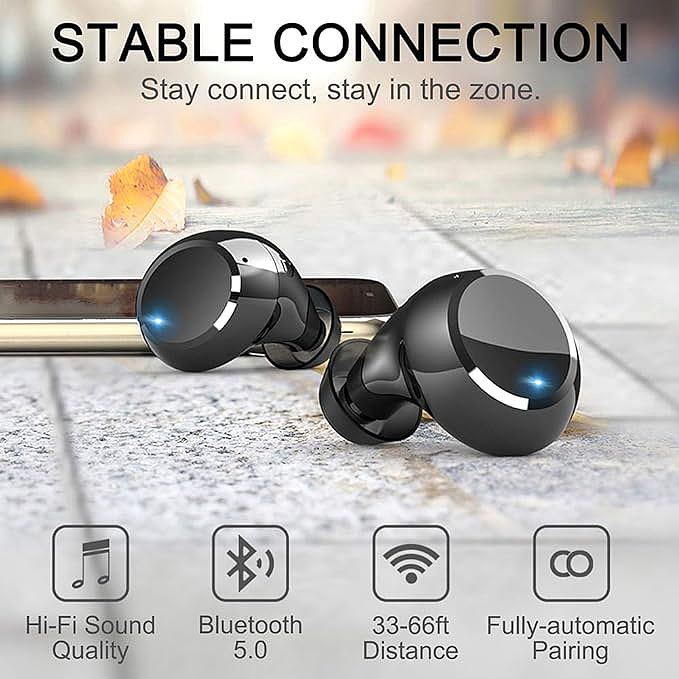
Marketing materials love throwing around Bluetooth version numbers. Here's what Bluetooth 5.0 genuinely delivers compared to its 4.2 predecessor: 2x theoretical data speed (up to 2 Mbps), 4x range in ideal conditions, and 8x broadcast message capacity. These specifications translate to real-world behavior.
Range improvements matter most in specific scenarios. Bluetooth 4.2 earbuds typically maintain connection up to 10 meters through one wall. Bluetooth 5.0 extends this to 20-30 meters in similar conditions. The practical difference shows up when you leave your phone on a desk. walk to an adjacent room. Older versions stutter. Newer versions hold steady.
Power efficiency gains receive less attention but affect daily use more significantly. Bluetooth 5.0's low-energy protocols reduce power consumption by roughly 50% during idle connection states. For wireless headphones and earbuds, this means the earbuds drain slower when you're not actively playing audio—important for those who keep earbuds in during work hours for occasional calls.
The codec support matters as much as the Bluetooth version. A2DP (Advanced Audio Distribution Profile) handles stereo audio streaming. AVRCP (Audio/Video Remote Control Profile) enables track skipping and volume adjustment from the earbuds. HFP (Hands-Free Profile) manages call audio. Budget wireless earbuds support these profiles, but implementation quality varies. Some earbuds introduce 200-300ms audio latency during video playback. Others keep it under 100ms, making them usable for casual gaming and video calls.
Driver Size and the Bass Question
The 10mm driver has become a common specification in budget wireless earbuds. But raw diameter tells an incomplete story. Driver efficiency, enclosure design, and tuning all affect the final sound signature.
A larger driver can move more air, which helps reproduce lower frequencies. The relationship isn't linear. Doubling driver diameter theoretically quadruples surface area, but bass response depends on excursion distance (how far the diaphragm moves) and enclosure volume. A well-designed 8mm driver in an optimized acoustic chamber can outperform a poorly implemented 10mm driver.
Half-in-ear designs face a specific challenge here. The partial seal means bass frequencies escape more easily than with deeply inserted in-ear monitors. Manufacturers compensate through digital signal processing—boosting low frequencies electronically. This works, but introduces potential distortion at higher volumes. The alternative is accepting a more neutral, less bass-heavy sound profile.
For spoken word content—podcasts, audiobooks, phone calls—this neutral tuning actually helps. Overemphasized bass can muddy vocal clarity. Half-in-ear designs often excel for communication precisely because they don't artificially boost frequencies that interfere with speech intelligibility.
 .
.
IP Ratings: What Waterproof Actually Means
IP7 waterproof claims appear frequently in wireless earbud marketing. The IP (Ingress Protection) rating system uses two digits. The first indicates solid particle protection (dust). The second indicates liquid protection. An IPX7 or IP7 rating means the device withstands submersion in 1 meter of water for 30 minutes.
This sounds impressive. It is—for specific scenarios. IPX7 protects against rain, sweat, and accidental drops in puddles. It does not mean you can swim laps wearing the earbuds. Water pressure from swimming strokes exceeds the static submersion test conditions. Bluetooth signals also attenuate rapidly underwater, making real-time audio streaming impractical.
The nano-coating mentioned in many product descriptions adds another protection layer. These hydrophobic coatings cause water to bead and roll off rather than spreading across surfaces. They protect against humidity and light splashes even when the primary seals fail. However, coatings degrade over time with exposure to skin oils, sunscreen, and chlorine.
For workout use, IPX7 provides adequate protection. Sweat contains salt that corrodes electronics over time. Rinsing earbuds with fresh water after intense workouts actually extends their lifespan—counterintuitive but effective.
Battery Life Mathematics
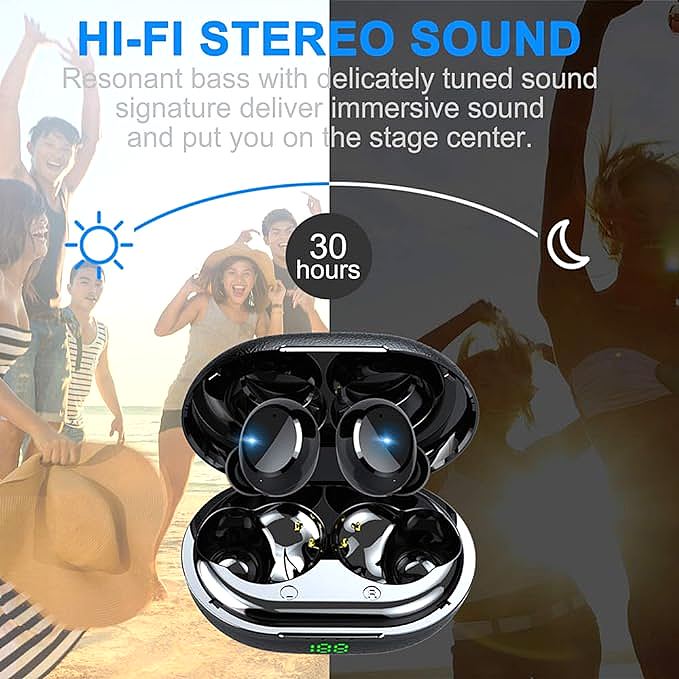
The 30-hour total playtime claim combines earbud battery (typically 6-8 hours per charge) with charging case capacity (3-4 additional charges). This math works for moderate users. Someone who listens 2 hours daily gets roughly two weeks between case recharges.
Lithium-polymer batteries power most wireless earbuds. These cells offer high energy density—storing significant power in minimal volume. They also degrade predictably. After 500 charge cycles, a Li-Po battery retains roughly 80% of original capacity. For earbuds charged daily, this means noticeable capacity loss after 18-24 months.
Charging speed varies significantly. Some cases recharge earbuds to 50% in 15 minutes. Others require 45 minutes for the same result. Fast charging generates more heat, which accelerates battery degradation. The trade-off between convenience and longevity rarely appears in marketing materials.
LED battery indicators on charging cases solve a real problem: knowing when to recharge without guessing. Simple three-LED systems show approximate levels (33%, 66%, 100%). More precise displays add cost but reduce anxiety about unexpected dead batteries.
Touch Controls: Convenience vs. Reliability
Capacitive touch sensors replaced physical buttons on many wireless earbuds. The technology works by detecting changes in electrical capacitance when your finger contacts the sensor surface. A single tap, double tap, or long press triggers different functions—play/pause, track skip, voice assistant activation.
The advantage is comfort. Physical buttons require force that pushes earbuds deeper into the ear canal. Touch controls eliminate this pressure. The disadvantage is accidental activation. Brushing hair from your face, adjusting a hat, or scratching an ear can trigger unintended commands.
Implementation quality determines whether touch controls feel intuitive or frustrating. Well-designed systems require deliberate contact—pressing rather than grazing. Poorly designed systems trigger from incidental touches. The difference isn't visible in specifications but becomes apparent within hours of daily use.
Voice assistant integration adds another control layer. Long-pressing an earbud activates Siri, Google Assistant, or Alexa. This works reliably in quiet environments. In noisy settings—gyms, public transit, busy streets—the assistant often mishears commands or fails to activate entirely.
 .
.
Comparative Utility: Matching Features to Use Cases
Different users prioritize different features. Understanding these trade-offs helps narrow choices without relying on marketing claims.
| Feature Priority | Best For | Trade-off | |-----------------|----------|----------| | Maximum isolation | Air travel ,. noisy offices | Less situational awareness | | Situational awareness | Running outdoors ,. office collaboration | More ambient noise | | Extended comfort | All-day wear ,. work calls | Reduced bass response | | Workout durability | Gym , running ,. outdoor sports | Shorter battery lifespan from sweat exposure | | Budget optimization | Casual listening ,. occasional use | Fewer premium features |.
The half-in-ear form factor suits specific scenarios well. Commuters who need to hear station announcements benefit from the partial isolation. Office workers who participate in impromptu conversations appreciate being able to hear colleagues without removing earbuds. Runners who cross traffic need awareness of approaching vehicles.
Deep-insertion in-ear designs serve different purposes. Frequent flyers want maximum isolation from engine noise. Call center workers need to block office distractions. Audiophiles seeking accurate bass reproduction prefer the sealed acoustic environment.
User Feedback Patterns
Analyzing user reviews reveals consistent themes across wireless earbud products. Comfort complaints cluster around two issues: weight distribution and tip sizing. Earbuds heavier than 5 grams per unit generate more fatigue complaints. Products offering only one tip size receive negative feedback from users with atypical ear geometry.
Connection reliability appears in reviews across all price points. Users report dropouts when phones occupy back pockets, when walking between rooms, and when multiple Bluetooth devices operate nearby. Bluetooth 5.0 reduces but doesn't eliminate these issues. Physical obstructions—walls, bodies, furniture—still attenuate signals.
Battery life claims rarely match real-world experience. Manufacturers test at 50% volume with standard audio files. Users playing bass-heavy music at higher volumes drain batteries 20-30% faster. Active use of touch controls and voice assistants also increases power consumption.
Sharp edges on charging case seams generate specific complaints. Users who frequently handle cases notice uncomfortable edges where plastic halves join. This manufacturing detail doesn't affect functionality but impacts daily user experience.
Making the Decision
The wireless earbud market offers overwhelming choice. Narrowing options requires identifying which trade-offs you accept willingly versus which feel like compromises.
Half-in-ear designs make sense when situational awareness matters more than isolation. They work for people who wear earbuds during conversations, while walking in urban environments, or during activities where hearing ambient sounds provides safety benefits.
Bluetooth 5.0 provides meaningful improvements over older standards—worth seeking but not the only factor. Driver size matters less than overall tuning. A neutral sound profile serves spoken word content well; bass-heavy profiles suit specific music genres.
IPX7 protection handles sweat and rain adequately. Higher ratings (IPX8) exist but add cost without meaningful benefit for most users. Touch controls offer convenience but require adjustment to avoid accidental activation.
Battery life claims should be discounted by 25% for realistic expectations. Cases with LED indicators reduce anxiety about unexpected power loss. Fast charging helps but accelerates long-term battery degradation.
The earbuds that work best are the ones you forget you're wearing. That forgetability comes from matching design to your specific ear geometry, use patterns, and tolerance for trade-offs—not from finding the highest-rated product on a bestseller list.
Motast Q12 Wireless Earbuds
Related Essays

Navigating the Intersection of Biomechanics and RF Propagation

Democratizing Acoustic Fidelity: The Silicon Economics of Audio

Beyond the Driver: The Hidden Physics of Modern Wireless Audio

The "Bone Conduction" Myth: A Guide to True vs. Air Conduction Earbuds

How Wireless Earbuds Work: A Deep Dive Into the Tech That Powers Your Sound

Boytond m20 Bluetooth Headphones - Impressive Sound and Battery at an Affordable Price

Magnavox MBH513 Bluetooth Wireless Headphones: A Stylish and Capable Audio Companion

eleror T5-BH1505 True Wireless Earbuds: Superior Sound and Endless Playtime for Your Workouts

EUQQ Q125 Wireless Earbuds: Your Ideal Music Buddy for Sports
