How to Read Earbud Specs: Bluetooth 5.3, Battery Math, and Marketing Hype


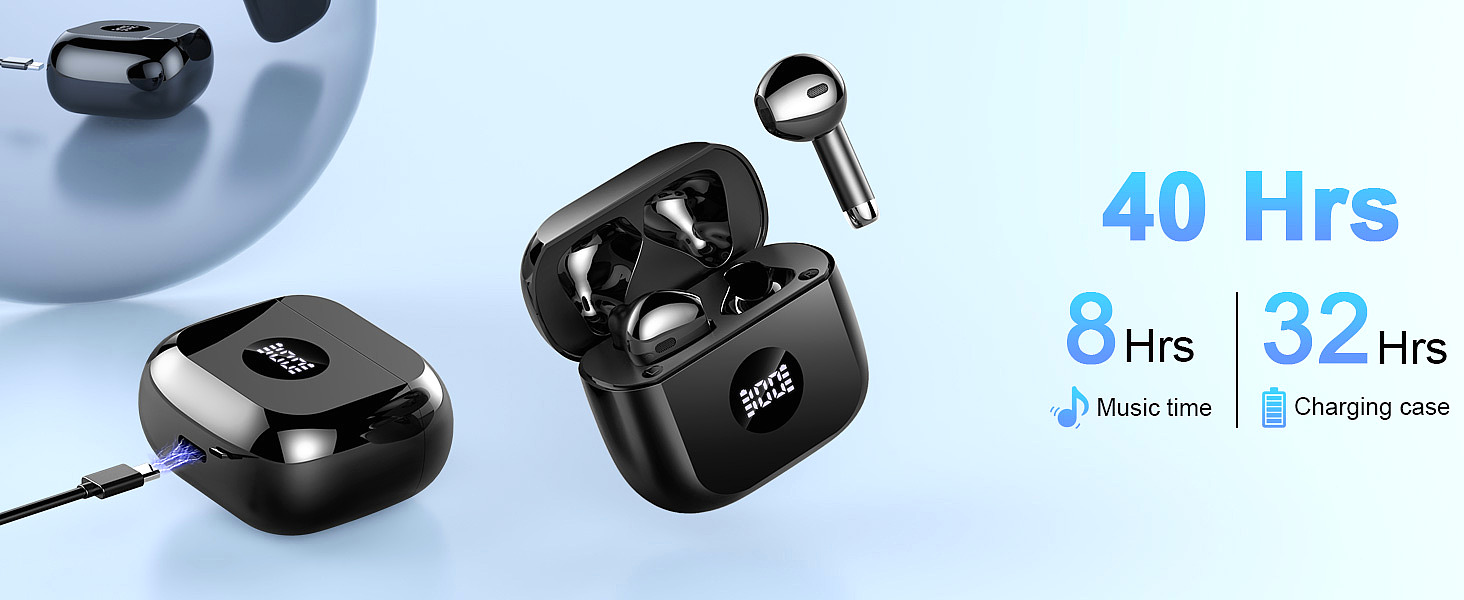
Jxrev J53-4 Wireless Earbuds
You're scrolling through Amazon at 11 PM. A pair of wireless earbuds catches your eye. The listing screams with impressive numbers: Bluetooth 5.3, "Noise Cancelling," 40-Hour Playback, and IPX7 Waterproofing. The price? $25.
Your brain does a quick calculation: "My friend's premium earbuds cost $250 and have the same specs. This must be the deal of the century."
Stop. Put the credit card down.
What you're witnessing isn't a miracle of engineering. It's something far more interesting: a linguistic game. Manufacturers use technical jargon to imply premium features while delivering budget reality. The specs aren't lies—they're carefully curated truths.
I've spent the last decade analyzing consumer electronics specifications, and I've learned this: reading a spec sheet is a skill. Not because the numbers are complicated, but because they're designed to create impressions that don't match reality.
Today, we're going to do a "specification teardown." We'll decode what these terms actually mean, what they don't mean, and how to spot the difference between meaningful engineering and marketing theater.
Consider this your graduation from "spec reader" to "spec interpreter."

Is Bluetooth 5.3 Actually Better for Audio Quality?
Here's the first spec that jumps out: Bluetooth 5.3. The product page says "latest Bluetooth technology" with "no delay or degradation." The implication is clear: newer version = better sound.
This is the most widespread misconception in wireless audio.
The Bluetooth Version Reality Check
Bluetooth version numbers work like software versions—higher numbers indicate newer releases. But here's what manufacturers don't tell you: Bluetooth version has almost nothing to do with audio quality.
The audio quality chain looks like this:
Audio Quality Determinants (in order of importance):
1. Driver quality and tuning (40% of sound)
2. Audio codec support (AAC, aptX, LDAC) (30% of sound)
3. Digital signal processing (DSP) (20% of sound)
4. Bluetooth version (10% of sound—mostly stability)
Bluetooth 5.3 doesn't magically transform compressed Spotify streams into lossless audio. It doesn't add bass that the drivers can't produce. It doesn't create soundstage that the enclosure doesn't support.
What Bluetooth 5.3 Actually Does
Think of Bluetooth version as a connection manager, not a sound enhancer. The improvements from 5.0 to 5.3 are real, but they're infrastructure improvements, not audio improvements.
Bluetooth 5.3 Benefits (Verified):
| Feature | What It Does | Real-World Impact |
|---|---|---|
| Low Energy Audio (LE Audio) | More efficient power management | Longer battery life between charges |
| Improved channel hopping | Smarter frequency selection | Fewer dropouts in crowded areas (gyms, coffee shops) |
| Faster reconnection | Quicker "digital handshake" | Auto-reconnection when opening case |
| Multi-stream audio | Multiple audio streams to one device | Still rare in budget earbuds |
What Bluetooth 5.3 Does NOT Do:
- Improve audio codec quality (AAC is still AAC, regardless of Bluetooth version)
- Reduce latency for gaming (codec and DSP determine this)
- Enhance bass response (driver size and tuning determine this)
- Create "Hi-Fi" sound (that's driver engineering, not wireless protocol)
The Historical Context
Bluetooth audio has evolved like this:
Bluetooth 4.x (2011-2016):
- Basic wireless audio
- SBC codec standard
- Noticeable latency (~200ms)
- Range: ~10 meters

Bluetooth 5.0 (2016):
- Improved range and speed
- Lower power consumption
- Still SBC/AAC for most devices

Bluetooth 5.2 (2020):
- LE Audio introduction
- LC3 codec (better quality at lower bitrate)
- Multi-stream audio support

Bluetooth 5.3 (2021):
- Connection stability improvements
- Better interference handling
- Periodic advertising enhancement
Notice what's missing from every generation? Audio quality mandates. Bluetooth SIG defines the protocol, not the sound. Two Bluetooth 5.3 earbuds can sound completely different because the audio chain is determined by the manufacturer's implementation, not the Bluetooth specification.
The Codec Conversation
If Bluetooth version doesn't determine audio quality, what does? Audio codecs.
A codec (coder-decoder) compresses audio for wireless transmission and decompresses it at the receiver. The codec determines how much audio information survives the wireless journey.
Common Bluetooth Audio Codecs:
| Codec | Bitrate | Latency | Quality Tier | Found In |
|---|---|---|---|---|
| SBC | ~328 kbps | ~220ms | Basic | All Bluetooth devices |
| AAC | ~256 kbps | ~120ms | Good | Apple devices, mid-range |
| aptX | ~352 kbps | ~120ms | Good | Android, mid-range+ |
| aptX HD | ~576 kbps | ~120ms | Very Good | Premium Android |
| LDAC | ~990 kbps | ~150ms | Excellent | Sony, high-end |
| LC3 | ~160-345 kbps | ~40ms | Very Good | Bluetooth 5.2+ LE Audio |
The Budget Reality: $25 earbuds typically support SBC and sometimes AAC. They don't support aptX, LDAC, or LC3—regardless of Bluetooth version. The licensing fees alone would push the price beyond the target market.
This isn't a criticism—it's a specification literacy lesson. When you see "Bluetooth 5.3" on a budget product, expect the connectivity benefits, not the audio codec benefits.
The 13mm Driver Spec: Does Bigger Mean Better Bass?
Your spec sheet reads: "13mm Dynamic Drivers" with "Hi-Fi stereo sound" and "deep, rich bass." The implication: larger drivers = better sound.
The truth is more nuanced.
The Physics of Driver Size
A dynamic driver is a miniature loudspeaker. It consists of:
- A magnet (creates magnetic field)
- A voice coil (receives electrical signal)
- A diaphragm/cone (vibrates to create sound waves)
When an electrical audio signal flows through the voice coil, it creates a varying magnetic field that interacts with the permanent magnet. This interaction moves the diaphragm, which pushes air, creating sound waves that travel to your ear.
The Size Advantage:
Driver Size vs. Air Displacement:
- Larger diaphragm = more air moved per cycle
- More air moved = greater sound pressure level (SPL)
- Greater SPL = potential for louder, deeper bass
A 13mm driver can physically move more air than a 6mm driver. This gives it a theoretical advantage for bass reproduction. Bass frequencies (20Hz-250Hz) require more air movement than treble frequencies (2kHz-20kHz).
The Engineering Reality
Here's where marketing diverges from engineering: driver size is necessary but not sufficient for good sound.
The Driver Quality Hierarchy:
Sound Quality Determinants:
1. Driver material (polymer composite, beryllium, graphene)
2. Driver tuning (acoustic engineering hours invested)
3. Enclosure design (chamber volume, port tuning, damping)
4. Digital signal processing (EQ, compression, enhancement)
5. Driver size (yes, it's fifth on the list)
Premium audio brands invest thousands of engineering hours in driver tuning. They adjust:
- Diaphragm material composition
- Magnet strength and placement
- Voice coil winding patterns
- Enclosure acoustics
- DSP algorithms
A budget $25 earbud doesn't receive this engineering investment. The 13mm driver provides a good foundation, but the sound signature will reflect cost priorities.
The "V-Shape" Sound Signature
Budget earbuds typically exhibit what audio engineers call a "V-shaped" sound signature:
Frequency Response Curve (V-Shape):

     Bass          Mids          Treble
      │             │              │
      ▼             │              ▼
    Boosted ────────┼─────── Boosted
                      │
              Recessed (V shape)
Why V-Shape?
- Bass boost creates immediate "wow" factor in store demos
- Treble boost creates perception of "clarity" and "detail"
- Recessed mids aren't immediately noticeable to casual listeners
The Listening Consequence:
- First 5 minutes: "This sounds great! So much bass!"
- After 1 hour: "Why do vocals sound distant?"
- After 1 week: "This is fatiguing—my ears are tired"
Premium earbuds target a neutral or balanced signature:
- Bass: Present but controlled
- Mids: Forward and clear (vocals live here)
- Treble: Extended but not harsh
This sounds "less exciting" initially but remains enjoyable for extended listening sessions.
The "Hi-Fi" Claim
The spec sheet says "Hi-Fi Stereo Sound." Let's decode this.
Hi-Fi (High Fidelity) technically means audio reproduction that accurately recreates the original recording without coloration or distortion. The technical requirements for Hi-Fi include:
- Frequency response: 20Hz-20kHz (human hearing range)
- Total harmonic distortion: <1%
- Signal-to-noise ratio: >60dB
Can $25 earbuds achieve Hi-Fi? Technically, yes—the basic requirements aren't impossible at this price point. Do they? Typically not, because:
- Driver quality: Budget drivers have higher distortion at volume extremes
- Tuning: V-shaped signature is, by definition, not "faithful reproduction"
- Components: Budget DACs and amplifiers introduce noise
The term "Hi-Fi" in budget audio marketing is more aspiration than specification. It's not a regulated claim—it's a descriptor.
What to Expect from 13mm Budget Drivers
Legitimate Advantages:
- Good bass potential (physical air movement)
- Adequate maximum volume (SPL capability)
- Decent efficiency (power-to-sound conversion)
Realistic Limitations:
- V-shaped sound signature (boosted bass/treble, recessed mids)
- Higher distortion at high volumes
- Less soundstage depth (instrument separation)
- Basic component quality (DAC, amplifier)
The Takeaway: A 13mm driver is a positive specification. It indicates the manufacturer prioritized bass capability. But "13mm" doesn't guarantee quality—it guarantees potential. The execution determines whether that potential is realized.
ENC vs. ANC: The Most Confusing Specification in Budget Audio
Your spec sheet says: "Noise Cancelling Mic" with "up to 35dB noise reduction."
Stop. This is the single most misleading specification in budget audio.
There are two types of "noise cancellation," and they solve completely different problems. Confusing them leads to disappointed customers and negative reviews.
ANC: Active Noise Cancellation (For YOUR Ears)
Active Noise Cancellation (ANC) is what most consumers imagine when they see "noise cancelling."
How ANC Works:
ANC Signal Chain:
1. External microphones "listen" to ambient noise
2. ANC processor analyzes the noise waveform
3. Processor creates "anti-noise" (inverse waveform)
4. Anti-noise combines with ambient noise
5. Result: Destructive interference = silence
The Physics:
Sound waves are pressure variations in air. When two identical waves are 180° out of phase (peak meets trough), they cancel each other out. This is called destructive interference.
Ambient Noise:  ~~~~~~
Anti-Noise:     ~~~~~~ (inverted)
Result:         ────── (silence)
What ANC Does:
- Reduces low-frequency ambient noise (plane engines, office hum, traffic)
- Creates a "bubble of silence" for the listener
- Requires dedicated hardware (microphones, processor, battery)
- Consumes significant power (4-8 hours battery reduction typical)
What ANC Does NOT Do:
- Eliminate sudden, high-frequency sounds (voices, dogs barking)
- Improve call quality (it's for listening, not microphone input)
- Work without battery power (passive isolation still functions)
Cost Reality: ANC adds $15-40 to manufacturing costs. It's rare in sub-$50 earbuds because the component costs alone would push the retail price beyond the target market.
ENC: Environmental Noise Cancellation (For the MICROPHONE)
Environmental Noise Cancellation (ENC) is what budget earbuds actually include.
How ENC Works:
ENC Signal Chain:
1. Microphones capture your voice + background noise
2. ENC processor identifies voice frequency range (300Hz-3400Hz)
3. Processor applies noise gate and filtering
4. Background noise is attenuated
5. Result: Clearer voice transmission to call recipient
The Key Difference:
| Feature | ANC | ENC |
|---|---|---|
| Beneficiary | YOU (the listener) | CALL RECIPIENT (the person you're talking to) |
| Purpose | Silence ambient noise during music | Improve call quality |
| Hardware | External microphones, dedicated processor | Built-in call microphones, DSP |
| Power Draw | High (4-8 hours battery reduction) | Low (minimal battery impact) |
| Cost | $15-40 added | $2-5 added |
The Analogy:
- ANC is like closing your office door to block out cubicle noise while you work.
- ENC is like a phone operator who filters out background noise so the person on the other end can hear you clearly.
The "35dB Noise Reduction" Claim
Your spec sheet says "up to 35dB noise reduction." This sounds impressive. Let's contextualize it.
Decibel Scale Reference:
| dB Level | Sound Source |
|---|---|
| 0 dB | Threshold of hearing |
| 30 dB | Whisper |
| 60 dB | Normal conversation |
| 70 dB | Vacuum cleaner |
| 85 dB | Heavy traffic (prolonged exposure = hearing damage) |
| 95 dB | Motorcycle |
| 120 dB | Rock concert (pain threshold) |
The ENC Reality:
A 35dB ENC reduction means:
- 70dB vacuum cleaner → 35dB (whisper level) at the microphone output
- The person you're calling hears your voice with reduced background noise
What This Does NOT Mean:
- You hear 35dB less noise while listening to music (that would be ANC)
- All ambient noise is eliminated (ENC targets specific frequency ranges)
- The reduction is constant across all frequencies (ENC is most effective for steady-state noise)
How to Identify ANC vs. ENC in Product Listings
ANC Indicators (Premium Feature):
- Explicitly states "Active Noise Cancellation" or "ANC"
- Lists "ANC battery life" separately from "normal battery life"
- Shows external microphones in product images
- Price typically $80+ (component costs make lower pricing difficult)
ENC Indicators (Budget Feature):
- States "Noise Cancelling Mic" or "Call Noise Reduction"
- Lists single battery life figure (no ANC mode distinction)
- Uses "cVc 8.0" or "DSP noise reduction" terminology
- Price typically under $50
The Budget Reality: $25 earbuds include ENC, not ANC. This isn't deception—it's specification literacy. ENC provides genuine value (clearer calls), just not the silence bubble that consumers associate with "noise cancelling."
The "40-Hour Playback" Math (And Why It's Misleading)
Your spec sheet screams: "40-Hour Playback." This sounds extraordinary. Premium earbuds offer 8-12 hours. How is this possible?
The answer is arithmetic, not engineering.
The Battery Hierarchy
Wireless earbud systems have two batteries:
Total System = Earbud Batteries + Case Battery

Earbud Batteries:
- Small cells inside each earbud
- Power the drivers, Bluetooth, microphones
- Typically 30-60 mAh per earbud

Case Battery:
- Larger cell inside charging case
- Functions as portable power bank
- Typically 300-500 mAh
The "40-Hour" Calculation
Here's how manufacturers arrive at "40 hours":
Example Calculation:
- Earbud battery capacity: 45 mAh per earbud
- Earbud power consumption: ~6 mA during playback
- Single charge runtime: 45 mAh ÷ 6 mA = 7.5 hours

- Case battery capacity: 400 mAh
- Case charges earbuds: ~4-5 full recharges
- Total recharges from case: 4 × 7.5 hours = 30 hours

- Total system runtime: 7.5 + 30 = 37.5 hours (~40 hours marketed)
The Critical Distinction:
| Metric | Reality |
|---|---|
| Single Charge | 7-8 hours (earbuds only) |
| Total System | 35-40 hours (with case recharges) |
| Marketing | "40-Hour Playback" (technically true, contextually misleading) |
You will not get 40 hours of continuous playback from a single charge. You will get 7-8 hours, then need to place the earbuds in the case for a recharge. Repeat this cycle 4-5 times, and you reach ~40 hours before the case needs to be plugged in.
Why This Matters
The distinction isn't semantic—it's practical.
Scenario 1: Long Flight (12 hours)
- With 8-hour single charge: Need one mid-flight recharge
- With "40-hour" marketing expectation: Confusion when earbuds die at hour 8
Scenario 2: Work Week
- With 8-hour single charge: Daily case charging (convenient)
- With "40-hour" marketing expectation: Expectation of weekly charging
The LED Display Advantage:
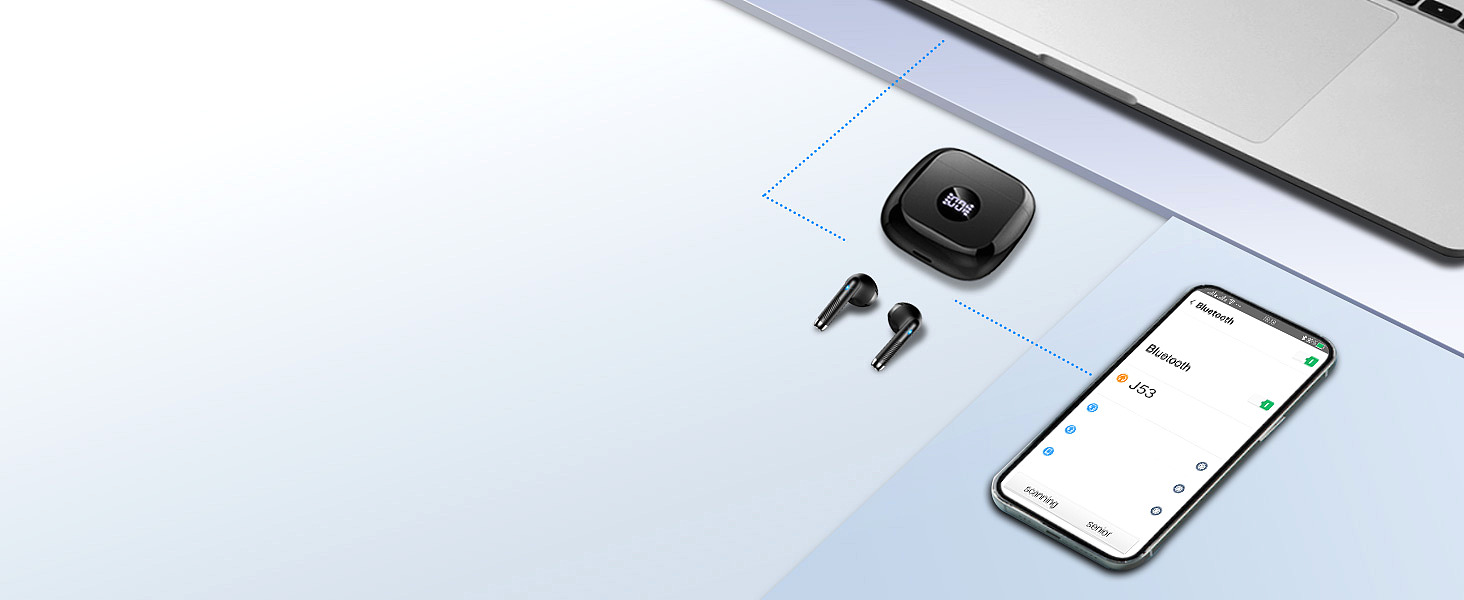
Your product includes an LED power display on the case. This is genuinely useful:
LED Display Benefits:
- Shows exact case battery percentage (e.g., "85%")
- Individual earbud charging status
- Eliminates guesswork ("Are they charged enough?")
Compare this to premium earbuds that use a single LED indicator:
- Green = "good" (but what's "good"? 50%? 90%?)
- Red = "low" (but when did it turn red? 20%? 10%?)
The LED display is a practical feature that removes anxiety. It's more valuable than an inflated battery claim.
Battery Life Variables
Actual battery life depends on multiple factors:
Volume Level:
Volume vs. Battery Consumption:
- 50% volume: Baseline power consumption
- 75% volume: +15-20% power consumption
- 100% volume: +30-40% power consumption
Feature Usage:
Feature Power Draw (approximate):
- Basic playback: Baseline
- ENC calls: +5-10% (minimal impact)
- Gaming mode (low latency): +10-15%
- Maximum volume: +30-40%
Environmental Factors:
Temperature vs. Battery Performance:
- 20-25°C (68-77°F): Optimal performance
- 0-10°C (32-50°F): 10-20% capacity reduction
- 35-45°C (95-113°F): Accelerated degradation over time
The Realistic Expectation
For $25 earbuds with "40-hour" marketing:
| Expectation | Reality | Verdict |
|---|---|---|
| 8-hour single charge | 7-8 hours | ✅ Achievable |
| 40 hours total (with case) | 35-40 hours | ✅ Achievable |
| 40 hours continuous (no case) | 7-8 hours | ❌ Impossible |
| 40 hours at max volume | 20-25 hours | ❌ Unrealistic |
The Takeaway: "40-hour playback" is technically accurate when describing the total system runtime. It's misleading if you interpret it as single-charge runtime. The LED display helps you manage expectations by showing actual remaining capacity.
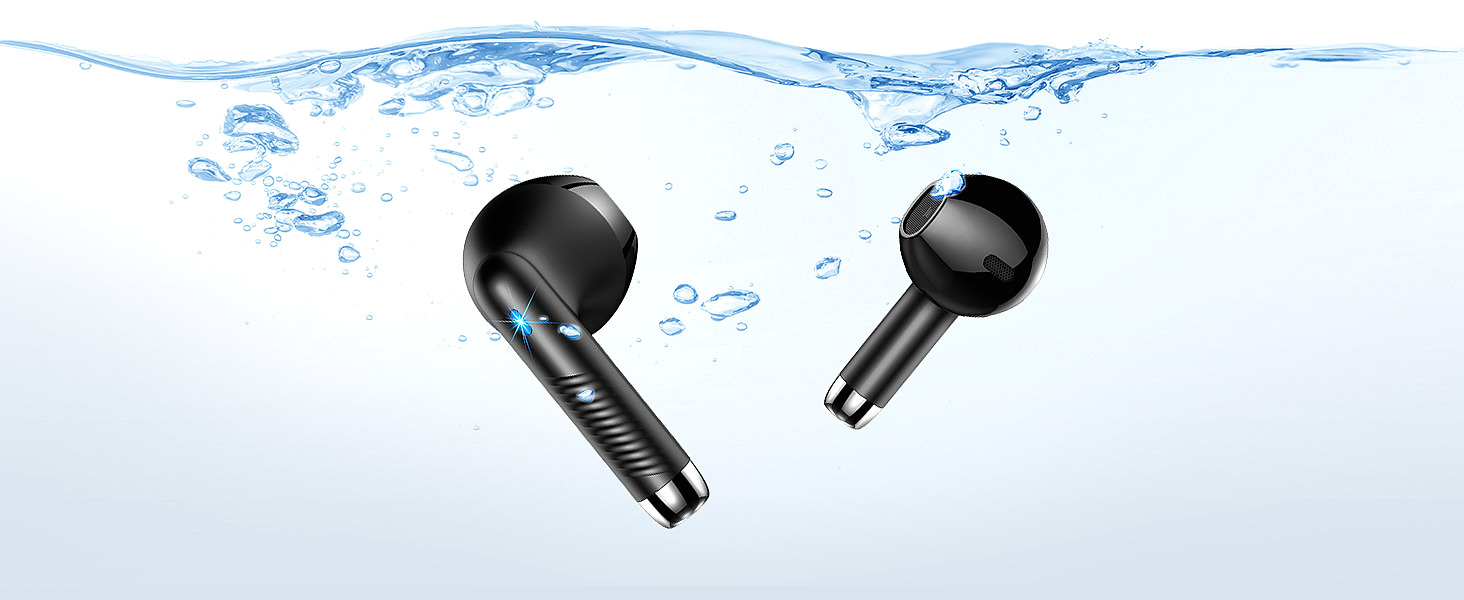
Decoding the IPX7 Waterproof Rating (Brief Refresher)
Your spec sheet says: "IP7 Waterproof." We covered this extensively in a related article, but let's summarize the essentials.
The IP Rating System
IP = Ingress Protection (IEC 60529 standard)
IP [Solid Protection] [Liquid Protection]
│    │                    │
│    │                    └─ 7 = Submersion rating
│    └─ X = Not tested for dust (common for earbuds)
└─ Ingress Protection
IPX7 Specifically Means:
- Submersion in 1 meter of fresh, still water
- Duration: 30 minutes
- Temperature: Room temperature (15-35°C)
- Device state: Static (no movement)
- Pressure: ~0.14 PSI (static water pressure only)
What IPX7 Handles
| Scenario | IPX7 Performance | Notes |
|---|---|---|
| Heavy sweating | ✅ Excellent | Primary design use case |
| Running in rain | ✅ Excellent | Fresh water, low pressure |
| Accidental drop in sink | ✅ Excellent | Retrieve within 30 minutes |
| Shower use | ❌ NOT rated | Pressure + chemicals + heat |
| Swimming | ❌ NOT rated | Dynamic pressure exceeds test |
| Ocean/beach use | ⚠️ Caution | Salt corrosion risk |
The Three "Waterproof Killers"
- Pressure: Shower jets create 20-80 PSI (140-570× higher than IPX7 test)
- Chemicals: Soap/shampoo degrade rubber seals over time
- Heat/Steam: Steam penetrates smaller gaps than liquid water
The Practical Guidance:
IPX7 is excellent for gym use, outdoor running, and weather protection. It's not designed for shower or swimming use, despite what "waterproof" marketing implies.
For the complete technical explanation, see the related article on IP waterproof ratings.
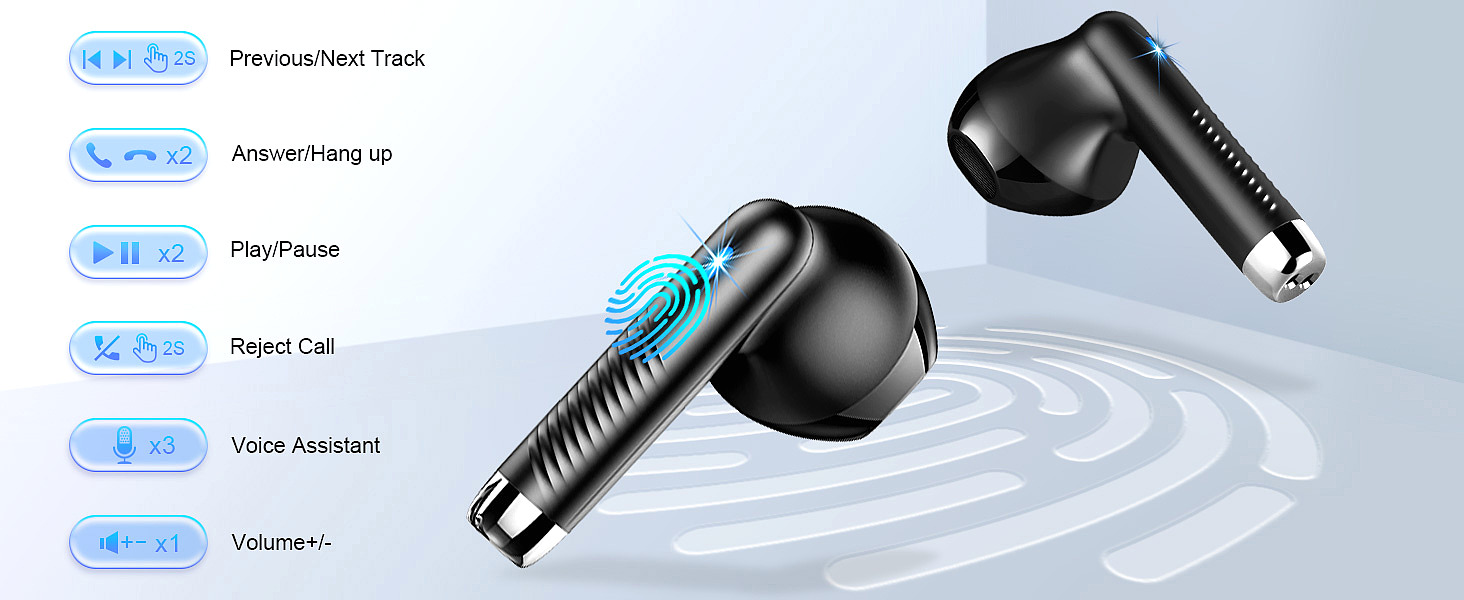
The Touch Control Specification (And Why Physical Buttons Are Returning)
Your spec sheet mentions: "Touch Control" with "easy operation."
Here's the untold story: touch controls in budget earbuds are a cost-cutting measure, not a premium feature.
The Touch Control Reality
How Touch Controls Work:
Touch Control System:
1. Capacitive touch sensor detects finger contact
2. Sensor sends signal to control chip
3. Chip interprets gesture (tap, double-tap, hold)
4. Action executed (play/pause, volume, skip)
The Appeal (for Manufacturers):
| Factor | Touch Controls | Physical Buttons |
|---|---|---|
| Component cost | $0.50-1.00 | $1.50-3.00 |
| Assembly complexity | Lower (no moving parts) | Higher (mechanical assembly) |
| Water sealing | Easier (no openings) | More complex (button seals) |
| Aesthetics | "Modern" look | "Traditional" look |
The User Experience Reality:
| Issue | Touch Controls | Physical Buttons |
|---|---|---|
| Accidental activation | High (brushing ear triggers) | Low (requires deliberate press) |
| Tactile feedback | None (can't feel if registered) | Clear (click confirms activation) |
| Eyes-closed operation | Difficult (no physical reference) | Easy (find by shape/position) |
| Glove compatibility | Poor (capacitive requires skin) | Excellent (mechanical works through glove) |
| Sweat interference | High (changes capacitance) | Low (mechanical isolation) |
The Gym Problem
Touch controls become problematic during workouts:
Gym Use Scenario:
1. User starts running on treadmill
2. Sweat accumulates on earbud surface
3. Sweat changes capacitive readings
4. Earbud registers "phantom touches"
5. Music pauses/predicts/skips unexpectedly
6. User frustration increases
Physical buttons don't have this problem. The mechanical actuation requires deliberate force, and the switch mechanism is isolated from surface moisture.
The Industry Correction
Interestingly, premium brands are returning to physical buttons:
- Apple AirPods Pro (2nd gen): Added physical button for volume
- Samsung Galaxy Buds Pro: Physical button for ANC/Transparency toggle
- Many gaming headsets: Physical buttons for mute, volume, power
The industry learned that touch controls prioritize aesthetics over usability. For a product you operate while moving, sweating, and often without looking, physical buttons are objectively superior.
What to Expect from Budget Touch Controls
Typical Touch Control Mapping:
| Gesture | Action |
|---|---|
| Single tap (left) | Play/pause or answer call |
| Single tap (right) | Play/pause or next track |
| Double tap | Next track or volume up |
| Triple tap | Previous track or volume down |
| Long press (2 sec) | Voice assistant or ANC mode |
Common Issues:
- Accidental activation when adjusting fit
- Inconsistent registration (tap once vs. twice)
- No feedback on whether input was registered
- Difficult to distinguish tap counts during activity
The Takeaway: Touch controls are functional but inferior to physical buttons for active use. They're a cost-saving feature marketed as "modern." If you prioritize reliable control during workouts, physical buttons are objectively better.
A Decision Framework for Your Next Earbud Purchase
Let's translate specification literacy into actionable guidance.
Step 1: Identify Your Primary Use Case
| Primary Use | Priority Specs | Nice-to-Have | Acceptable Trade-offs |
|---|---|---|---|
| Gym/Workout | IPX7+, secure fit, sweat resistance | Touch controls | Audio quality secondary |
| Commuting | ANC (if budget allows), battery life | Compact case | Touch controls acceptable |
| Calls (business) | ENC quality, microphone placement | Multi-device pairing | Audio quality secondary |
| Casual listening | Balanced sound, comfort | Brand reputation | ANC not essential |
| Gaming | Low latency mode, Bluetooth 5.2+ | Dedicated gaming mode | Battery life secondary |
Step 2: Decode the Spec Sheet
Before purchasing, verify:
Specification Literacy Checklist:

□ Bluetooth version noted (5.0+ recommended for stability)
□ Codec support listed (AAC acceptable, aptX/LDAC bonus)
□ Driver size listed (10-14mm typical for earbuds)
□ Battery life clarified (single charge vs. total system)
□ IP rating specified (IPX4 minimum, IPX7 recommended)
□ Noise cancellation type identified (ANC vs. ENC)
□ Control type identified (touch vs. physical)
□ Warranty terms reviewed (water damage coverage?)
Step 3: Check the Fine Print
Download the manual (often available online before purchase):
- Search for "water," "submersion," "sweat"
- Note any usage restrictions
- Check warranty terms for water damage
Read negative reviews (more informative than positive):
- Look for patterns (not isolated incidents)
- Focus on 2-3 star reviews (most balanced)
- Note failure modes (battery, connectivity, fit)
Step 4: Match Expectations to Price
Budget Earbuds ($20-40):
- Expected: Bluetooth 5.0+, IPX4-IPX7, ENC, 20-40 hour total battery
- Not expected: ANC, premium codecs, audiophile sound, premium materials
Mid-Range ($50-100):
- Expected: Bluetooth 5.2+, IPX7, ANC (basic), AAC/aptX, 24-48 hour total
- Not expected: LDAC, premium ANC, audiophile tuning
Premium ($150+):
- Expected: Bluetooth 5.2+, IPX7, ANC (advanced), aptX HD/LDAC, 24-36 hour total
- Expected: Premium materials, app support, customizable EQ, multi-device pairing
Step 5: Maintenance Best Practices
Extend the life of any earbuds:
| After Use | Action |
|---|---|
| Sweat exposure | Wipe with dry cloth, air dry before case storage |
| Rain exposure | Dry thoroughly, don't charge immediately |
| Accidental submersion | Dry exterior, leave case open 24 hours |
| Regular cleaning | Soft brush for mesh, dry cotton swab for contacts |
Never:
- Use in shower (regardless of IP rating)
- Charge while wet or damp
- Expose to extreme temperatures (car dashboard in summer)
- Store in humid environments (bathroom)
The Specification Translator: Quick Reference Guide
Let's close with a practical translation table.
Marketing Speak → Engineering Reality
| Marketing Claim | What It Means | What It Doesn't Mean |
|---|---|---|
| "Bluetooth 5.3 Latest Technology" | Modern connectivity, good stability | Better audio quality |
| "Hi-Fi Stereo Sound" | Meets basic frequency response | Audiophile-grade reproduction |
| "13mm Dynamic Drivers" | Large drivers, good bass potential | Premium sound quality |
| "40-Hour Playback" | Total system with case recharges | Single-charge runtime |
| "Noise Cancelling" | ENC for call quality (budget) | ANC for silence (premium) |
| "IP7 Waterproof" | IPX7 submersion rating | Shower/swimming safe |
| "Nano-Coating" | Hydrophobic surface treatment | Full waterproofing without seals |
| "Touch Control" | Capacitive sensor input | Premium user experience |
| "Gaming Mode" | Reduced latency DSP | Console-quality gaming audio |
| "Ergonomic Design" | Shaped for ear comfort | Universally comfortable fit |
Red Flags in Specification Sheets
Be skeptical when you see:
- "Waterproof" without IP rating specified
- "Noise Cancelling" without ANC/ENC clarification
- Battery life without "single charge" vs. "total system" distinction
- "Hi-Res Audio" without certification logo (Sony LDAC, etc.)
- Codec support listed as "SBC/AAC" without aptX/LDAC (budget reality)
- No warranty information or water damage exclusion
Green Flags (Legitimate Specifications)
Trust specifications that include:
- Specific IP rating (IPX4, IPX7, IP68)
- Codec support explicitly listed (SBC, AAC, aptX)
- Battery life broken down (earbuds only, with case)
- Driver size AND material (e.g., "13mm composite diaphragm")
- Bluetooth version AND profile support (A2DP, AVRCP, HFP)
- Warranty terms clearly stated
The Takeaway: Specification Literacy Is Power
We've covered a lot of ground. Let's consolidate what you've learned.
The Core Lessons:
- Bluetooth 5.3 = connectivity and efficiency, not audio quality
- 13mm drivers = bass potential, not guaranteed sound quality
- ENC = clearer calls, not silent listening (that's ANC)
- "40-hour battery" = total system, not single charge
- IPX7 = submersion rating, not shower/swimming certification
- Touch controls = cost savings, not premium experience
The Philosophical Point:
Specifications aren't lies. They're carefully curated truths—facts selected to create impressions. The manufacturer isn't claiming their Bluetooth 5.3 earbuds sound like $300 audiophile reference monitors. They're claiming Bluetooth 5.3, and trusting you'll infer premium audio quality.
This isn't malice. It's marketing. Every industry does this. Automobile manufacturers advertise "300 horsepower" without mentioning fuel economy. Skincare brands advertise "90% of users saw improvement" without defining "improvement." Food packages advertise "made with real fruit" while containing 2% fruit juice.
Your new superpower: Reading the spec sheet like an engineer, not a consumer.
The next time you see impressive specifications at a budget price, you'll know the right questions to ask:
- Is this connectivity or audio quality?
- Is this potential or guaranteed performance?
- Is this for listening or calling?
- Is this single charge or total system?
- Is this submersion or pressure resistance?
Those questions protect your purchase more than any certification ever could.
The Final Word:
Budget earbuds like the Jxrev J53-4 (our specification example) aren't scams. They're honest products with honest capabilities. The 13mm drivers do provide good bass foundation. The Bluetooth 5.3 does provide modern connectivity. The IPX7 rating does provide excellent sweat and rain protection. The 40-hour system does provide week-long battery life.
The problem isn't the product. It's the expectation gap created by specification literacy failure.
Now you're literate. You can read a spec sheet, decode the marketing, and make informed decisions. You know what to expect, what to question, and what to celebrate.
That's more valuable than any single specification.
Jxrev J53-4 Wireless Earbuds
Related Essays

Decoding Acoustic Compromises in Micro-Audio Devices: A Hardware Autopsy

Decoding Budget Audio: The Real Difference Between ENC, ANC, and Bluetooth 5.3

Demystifying Budget Audio: ENC, Bluetooth 5.3, and the ZBC Y68

Decoding the $20 Best-Seller: How the iLuv myBuds Nails the "Anti-Anxiety" Essentials

Decoding the $16 Anomaly: How the Renimer Q13 Delivers 4.3-Star Sound

A Case Study in 'Good Enough': Decoding the $20 Renimer i50 Earbuds

How to Decode Wireless Earbud Specs: A Beginner's Guide to Bluetooth, Drivers, and Battery Life

The Tech Inside: How Features Like Bluetooth 5.3 & IP7 Waterproofing Became Standard

A Guide to Modern Earbud Tech: Understanding Bluetooth 5.3, IPX7, and ENC

