Bluetooth Headphone Setup: LED Codes, EQ Modes, TV Audio

Glynzak WH207A Wireless Headphones
You press the power button, a light begins to blink, and nothing else happens. No display, no spoken prompt, and no printed table on the box that explains what the blinking means. That silence is where most setup frustration starts, and it comes from a design trade rather than a defect. Below twenty dollars a screen costs more than the rest of the electronics combined, so the whole interface collapses into one diode and a few firmware timers. What follows is a Bluetooth headphone setup explained from the firmware outward, using one specific pair as the worked example, so the light, the EQ button and the battery figure stop being mysteries.
The light is a two-word language
Inexpensive audio hardware cannot afford a screen. A light-emitting diode costs a fraction of a cent, a screen costs dollars, and a speaker that announces its own status costs more again. The user interface of a budget over-ear headphone therefore reduces to one colored dot and a handful of blink patterns, and the trouble is that blink patterns form a vocabulary nobody teaches.
Conventions do exist, and they are consistent enough to be useful. A solid blue light means the headset holds an active connection. A slowly flashing blue light usually means it is hunting for a device it already knows. Rapid alternating red and blue means discoverable mode, waiting for a first pairing. Red alone means charging, and red going dark means the charge finished. Support pages for unrelated Bluetooth products describe the same split, which is why the convention travels: solid blue reads as connected, flashing blue reads as still searching.
Ambiguity arrives when a manufacturer replaces the two-color diode with a single blue one. Pairing mode and connected state then look almost identical, separated only by blink rate, and you cannot tell the two apart without looking at the phone. The root of that problem is engineering rather than laziness. Firmware timers, diode colors and blink periods are chosen by whoever writes the driver, and in this price class nobody writes the documentation that would translate them.
One rule survives nearly all of the variation. Compare solid against flashing before doing anything else. Solid means the device has settled into a state, and flashing means it is still looking for something. On a first power-up most over-ear models in this class enter pairing mode on their own, which is why a brand-new pair starts blinking the moment you hold the button down.
Pairing and connecting are different events
Treating those two words as synonyms causes most of the confusion. Pairing is a one-time exchange in which two radios agree on a shared secret, store it, and recognize each other afterwards. Connecting is the lighter act of resuming a session with a device that is already known. Nothing requires the two to happen together, and a headset can stay paired to a phone for years while spending most of its life disconnected.
The standard also splits audio hardware into profiles, and that split explains a great deal of strange behavior. A2DP carries stereo music and works in one direction, from source to headset, at far better quality than the older mono voice encodings. HFP handles hands-free telephony and grew out of car kits. AVRCP carries transport commands such as play, pause and skip from the headset back to the source. A single pair of headphones can speak all three while holding only one active link at a time.
That last limit deserves a precise statement. Bluetooth networks use a master and slave arrangement, and any slave device talks to a single master. A headset may remember five phones, but it speaks to one. When a second phone refuses to find it, the headset is usually not broken. It is still latched onto the first phone, which is often sitting in another room with Bluetooth switched on.
Radio conditions shape the rest. Bluetooth runs in the 2.4 GHz unlicensed band alongside Wi-Fi and ZigBee, hopping between channels to survive interference. A Class 2 radio, which covers nearly every consumer headset, transmits at 2.5 mW and reaches about 10 meters or 33 feet in open air. The specification allows up to 100 meters with a Class 1 radio, and the data rate sits near 1 Mbps, rising to 2 Mbps in later generations. Walls, bodies and routers shrink the practical radius well below the number printed on the box.
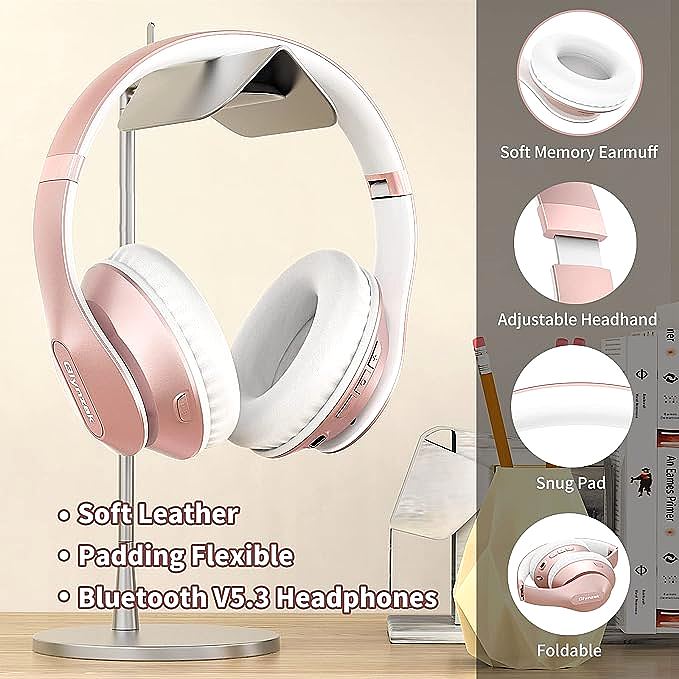
Version numbers deserve a caution of their own. This listing advertises Bluetooth V6.0 in its title, while the regional listing for the same product identifier, B0BMLXSNG8, advertises V5.3. Both cannot describe the same radio. Classic Bluetooth audio runs on the same profiles and codecs regardless of which number is accurate, so the version label changes very little about how a headphone sounds.
What the six EQ modes change
An equalizer preset is not an algorithm that listens to the music. It is a fixed table of gain adjustments applied to a set of frequency bands, chosen once and stored in firmware. Selecting a mode applies the same curve to everything, so a bass setting lifts the low end by several decibels and leaves the rest of the spectrum where it was.
The manufacturer's own description names six modes for this model: Bass, pop, rock, classic, jazz and vocal. The labels are marketing shorthand rather than measurements, and two products can use the same word for different curves. Vocal modes generally lift the midrange where speech intelligibility lives. Pop tends toward a V shape, lifting both ends. Classic and jazz usually stay closer to flat, and a bass mode does what it says.
Why the modes exist at all comes down to physics. A dynamic driver is a diaphragm moved by a voice coil sitting inside a permanent magnet. Current through the coil creates a field that pushes the diaphragm back and forth, and that movement pushes air. Moving air at low frequencies takes displacement, so a 40 mm diaphragm has more room to work with than the 30 mm drivers common in slimmer designs. The same geometry has a cost, because a bigger diaphragm needs a bigger enclosure.
Frequency ranges give the modes a frame of reference. Human hearing spans roughly 20 Hz to 20000 Hz. Bass occupies the bottom of that span, about 20 Hz to 300 Hz, and treble occupies the top, roughly 4000 Hz to 20000 Hz. A preset reshapes that span in a small, deliberate way rather than changing what the hardware can do. A perceptual reason for bass boosts exists as well. Human hearing grows less sensitive to low frequencies as volume drops, so part of what a bass mode restores is what your own ear has turned down.
Driver size is not a ranking either. A well-tuned 40 mm dynamic driver can outperform a poorly tuned 50 mm one, because how the diaphragm is mounted and damped matters as much as how much air it can move. The number on the box describes a capability, not a result.
Choosing a mode is less about being correct and more about matching content. Podcasts and audiobooks live in the vocal range. Electronic and hip-hop production favors the low end. Recorded acoustic material keeps more of its character in the flatter settings. The modes are starting points, and the right one is the setting you stop noticing.
Getting TV audio into a headphone with no TV Bluetooth
Televisions are built to receive signals and push sound through their own speakers, and Bluetooth never belonged to that design brief. When a smart TV does include it, the radio often serves the remote control rather than audio output. A remote uses a low-bandwidth channel for button presses, while streaming music to a headset needs A2DP, a different profile with different hardware paths. Many televisions implemented the first and never the second, which is why a TV can list Bluetooth in its settings and still never see a headphone.
Before you spend an evening on it, check what the television's Bluetooth menu really controls. If it only pairs remotes and game controllers, no headphone will attach to it, and the remaining paths are external. Television makers skip audio Bluetooth partly for cost, since it means another chip and another certification round, and partly because most buyers route sound to a soundbar instead.
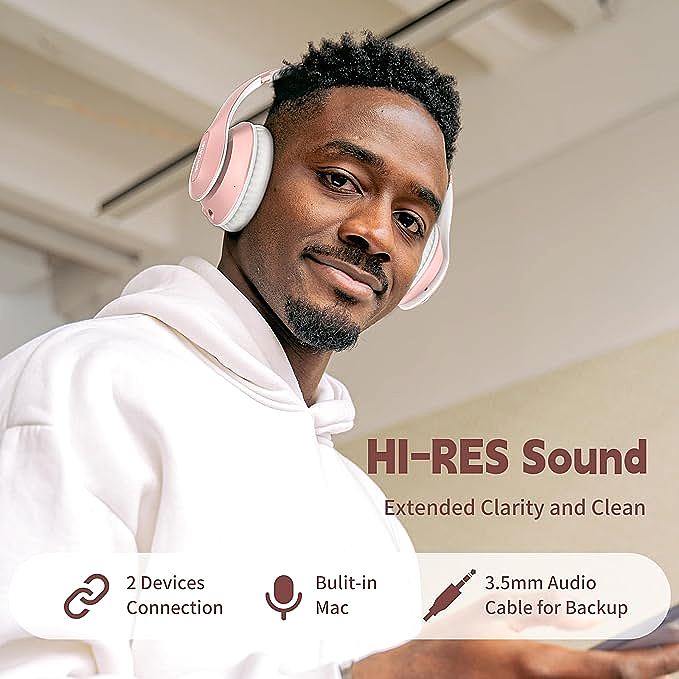
The oldest path is also the most dependable. A 3.5 mm cable from the television's headphone jack turns any Bluetooth headset into a wired one, assuming the model includes the socket, as this one does. Sound travels as an analog signal with no pairing, no latency and no radio involved. The trade is the cable itself, and in wired use the built-in microphone goes dormant, because the microphone electronics draw power only in Bluetooth mode.
A small transmitter covers the case where a cable is impractical. The device plugs into the television's headphone jack, optical output or RCA sockets, converts the signal, and broadcasts it. To the headset it looks like an ordinary phone. Prices for this hardware sit between about 20 and 40 dollars, with optical and 3.5 mm inputs on the cheaper units and low-latency codec support on the more expensive ones. The catch is delay. Bluetooth audio buffers enough data that sound can arrive a fraction of a second after the picture, which is harmless for music and faintly wrong for dialogue, where lips drift away from words. Transmitters advertising low-latency codecs narrow the gap, but both ends of the link have to speak the same codec for the benefit to appear.
Reading the 65-hour number
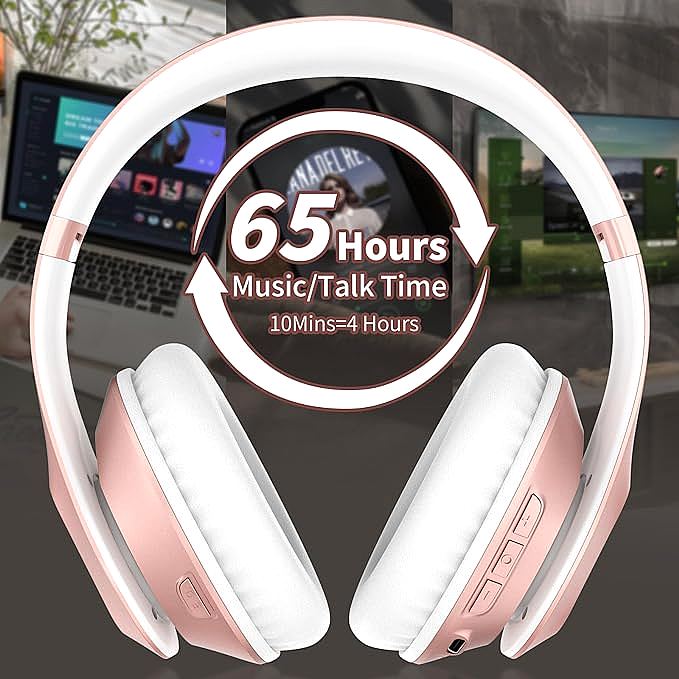
Battery claims carry an unstated test condition, and this listing is no exception. It specifies a 500 mAh cell, up to 65 hours of wireless playtime, and a full charge in 2.5 hours over Type-C. The arithmetic is worth doing. A 500 mAh cell drained across 65 hours implies an average draw near 7.7 mA, which is realistic for low-power audio electronics driving a 40 mm diaphragm at a moderate level and unrealistic at high volume, because the amplifier pulls more current as it pushes the diaphragm harder.
Charging behavior adds a detail the headline numbers hide. Lithium-ion cells accept current fastest when they are nearly empty and slow down as they fill, so the first minutes of a charge deliver proportionally more energy than the last ones. A ten minute top-up before a commute recovers a disproportionate share of the runtime, since the first 20% of the capacity arrives far faster than the final 20%.
Two design choices protect the figure. This model carries no active noise cancellation, so no microphone array and no processing chip run in the background draining the cell. What isolation exists is passive, a physical seal formed by the over-ear cushions that blocks mid and high frequencies through absorption and reflection. At moderate volume the electronics dominate the drain rather than the transducers, which is why the runtime holds up in ordinary use and collapses under continuous maximum output.
Treat 65 hours as a best case. It assumes a moderate listening level somewhere in the middle of the range, a healthy cell, a phone a few meters away, and no long stretches at maximum. Every deviation chips away at the number.
When the handshake fails
Most pairing failures trace back to one of three causes, and they are worth checking in order. The first is the single-link rule. If a phone cannot find the headset, look for whatever else might be holding it. Turning Bluetooth off on the previous device, or moving that device out of range, usually frees the headset within seconds.
The second is a stale record. A phone can hold an old pairing entry whose secret no longer matches the headset, which happens after a reset or a firmware change. Forgetting the device on the phone and pairing again from scratch clears it. On the headset side, the reset convention for this class is to hold the power button while the unit is off for five to ten seconds, until the light pattern changes. That is a convention rather than a quoted manual step, so treat it as a starting point.
The third is radio congestion. A headset that flashes blue while music plays has usually lost its link rather than its mind. Bluetooth hops channels constantly to survive a crowded band, but a home full of Wi-Fi access points, baby monitors and microwave ovens can still produce stutters and dropouts. Moving closer to the source and farther from the router clears most of them.
Battery complaints belong in the same list. A headset that dies overnight has usually not lost capacity. It has been left powered on, sitting in a pairing-retry loop, and by morning the cell is flat. Holding the power button until the light goes out is the whole fix.
What the paperwork leaves out
A third-party mirror of the user manual for this model does appear in search results, but its body refused every retrieval attempt, and the visible snippet covers pairing and little else. The rest of the behavior has to be read off the device. That imbalance is the quiet story of inexpensive hardware. The product is physical, the paperwork is thin, and the light keeps blinking whether or not anyone wrote down what it means.
Good engineering hides complexity, and good documentation makes the hidden visible. When the second one is missing, the device itself becomes the reference, and the owners who fare well are the ones who learn the vocabulary anyway. Solid means settled, flashing means searching, and a cable solves what a radio cannot.
Glynzak WH207A Wireless Headphones
Related Essays
