Wireless Earbuds Pairing Guide: Reset and Tap Controls
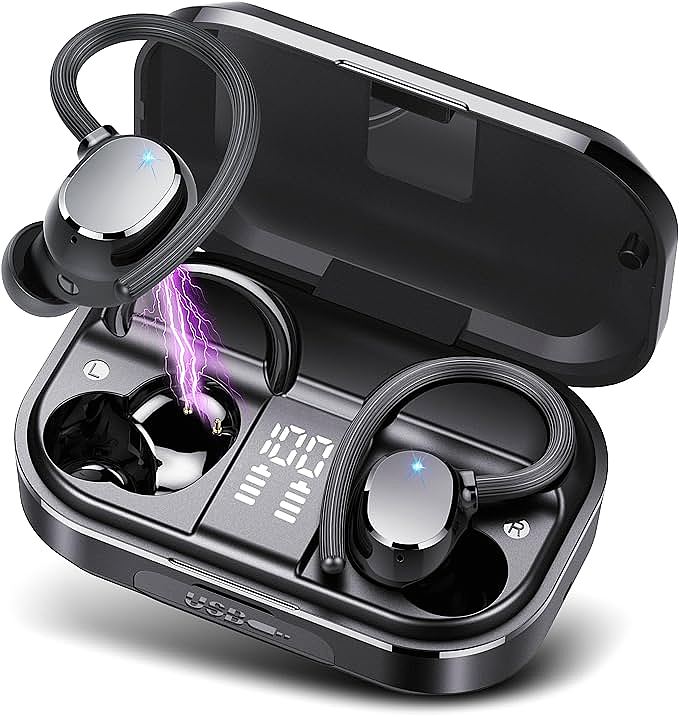
POMUIC Q53 Wireless Earbuds
Your new earbuds arrived charged, sealed, and apparently ready. Then the phone's Bluetooth list shows nothing, or it connects the left bud and ignores the right one. The card folded inside the case carries four icons and a QR code that opens a page in another language.
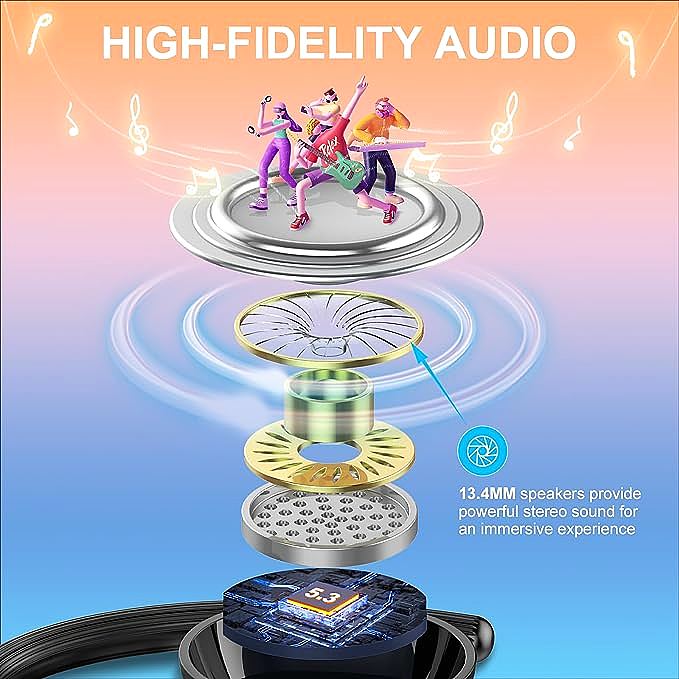
Consider this a practical wireless earbuds pairing guide: first pairing, the reset that resolves most failed connections, the numbers on the charging case display, and the tap map that most touch-control models follow. The POMUIC Q53 Wireless Earbuds are the working example, since they match the pattern that dominates the budget category with Bluetooth 5.3, an earhook shell, a 13.4 mm driver, and a case that doubles as a 2,200 mAh power bank.
What pairing does before you touch anything
Pairing is a one-time exchange. The earbuds and the phone agree on a shared pairing credential, and each side stores it. Every reconnection after that reuses the stored link instead of repeating the negotiation. That is why opening the case near a phone you already paired reconnects in about two seconds with no menu involved.
The distinction explains most confusing behavior. A pairing failure is a handshake problem, and it happens once. A reconnection failure comes from a stale stored credential, and the two need different fixes. Toggling Bluetooth off and on clears the second kind. It does nothing for the first.
Pairing the earbuds for the first time
Four steps, in this order.
- Turn on Bluetooth in the phone settings. On Android the toggle sits under Connected Devices. On iOS it is the first entry in Settings.
- Leave both earbuds inside the case and open the lid. The lid switch wakes the buds and puts them into pairing mode, and the case LED begins to flash.
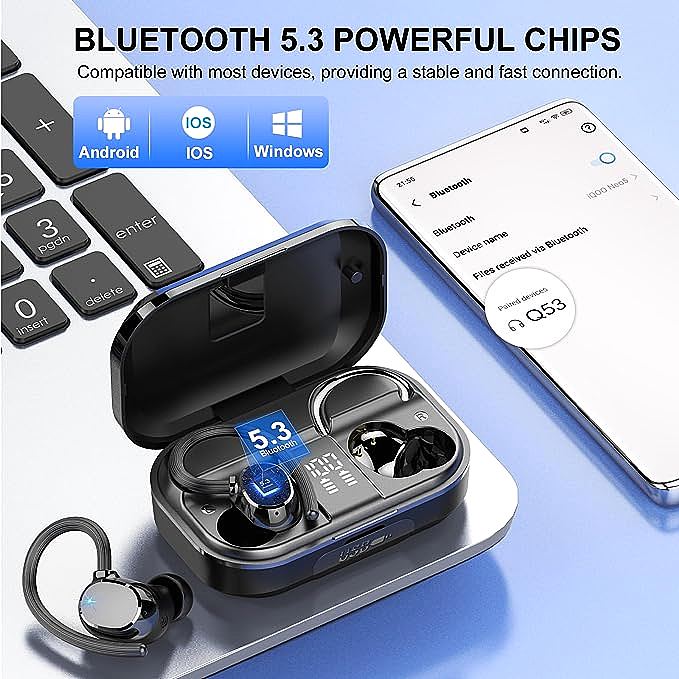
- Watch the Bluetooth list for a device name. Budget models often show a short model code rather than the brand name, and the Q53 appears that way.
- Tap the name and accept the confirmation prompt.
If the name never appears, close the lid for five seconds, reopen it, and look again. The buds need a clean wake cycle more often than the manuals admit.
The reset that fixes most failed pairings
Audio in one ear and silence in the other is the most common complaint. The buds have paired with each other but not with the phone, or an old credential is fighting the new one. Clearing both sides resolves it.
- Open the phone's Bluetooth settings, find the earbuds, and choose Forget This Device.
- Place both buds in the case and keep the lid open. Press and hold the small button on the case for 10-15 seconds, until the lights flash red and white to confirm the reset.
- If the case has no button, take both buds out and hold a finger on each touch panel for 10-15 seconds until the internal LEDs flash.
- Close the lid for five seconds, then reopen it and repeat the pairing sequence from the start.
The step people skip is the second one. Forgetting the phone alone leaves the earbuds holding the old credential, so the next attempt fails the same way.
Reading the numbers on the charging case
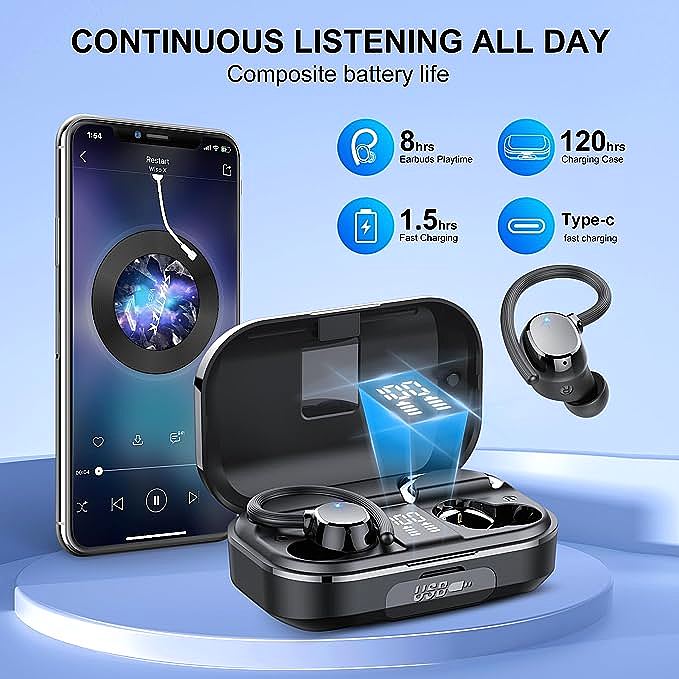
A 120-hour claim does not mean 120 hours of continuous playback. The figure describes the earbuds and the case working together.
- Earbud charge: about 8 hours of continuous listening on the Q53.
- Case reserve: enough capacity to refill the buds about 15 times, which produces the 120-hour total.
- Refill time: about 1.5 hours for a full charge over USB-C.
The LED panel on the front of the case reports two things at once. The large digits show the remaining charge in the case itself, and the two small bar columns track the left and right buds separately. When the digits read 92 percent, the case still holds most of its reserve even if one bud sits nearly empty.
What the case adds beyond charging
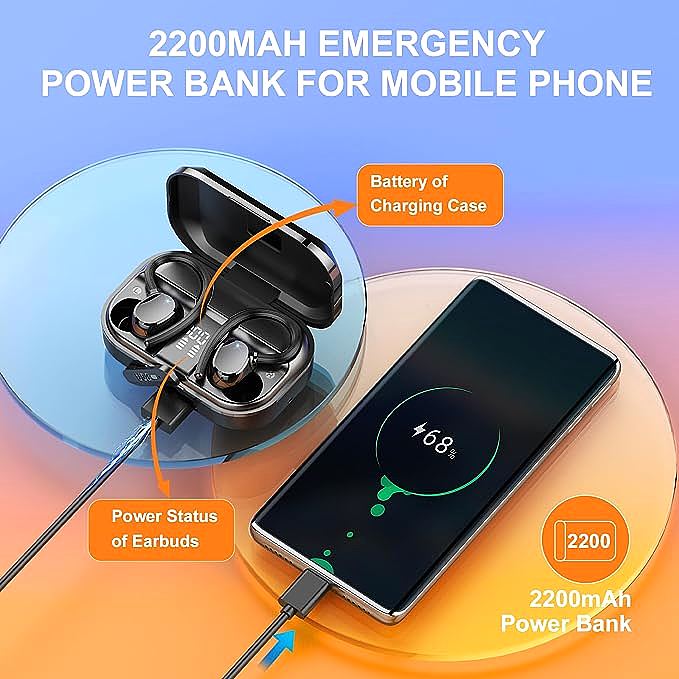
The case battery holds 2,200 mAh, and the port on the back is not only an input. With a cable from the case to a phone, the case works as an emergency power bank. The output is small by power bank standards and will not fill a modern phone from empty, but 2,200 mAh covers a partial top-up during a commute.
What each tap and press does
There are no buttons on the earbuds. The shell uses capacitive touch sensors that read the small electrical change a fingertip creates, and every action is a pattern of taps.
- Play or pause: one tap on either bud.
- Answer or end a call: one tap on either bud.
- Reject a call: press and hold for two seconds.
- Next track: two taps on the right bud.
- Previous track: two taps on the left bud.
- Volume up: three taps on the right bud.
- Volume down: three taps on the left bud.
- Voice assistant: press and hold for two seconds when no call is active.
Two habits prevent most accidental triggers. Tap firmly and quickly rather than lightly, and wait for the confirmation beep after a long press before lifting the finger. Four microphones with CVC 8.0 processing filter background noise on calls, but touch sensitivity stays high enough that a hat brim or a jacket collar can register as a tap.

What Bluetooth 5.3 and IPX7 mean in daily use
Bluetooth 5.3 is a link-layer revision. It does not raise audio quality on its own, because the codec sets that ceiling. What it changes is how the link behaves when the radio band is crowded. A 5.3 connection holds through a train station or a gym full of other devices with fewer dropouts than a 5.0 link, and it spends less power holding that connection. On the Q53 the revision also drives the auto-reconnect behavior described earlier. In open space a link like this stays solid across a room before walls and bodies start to matter.
IPX7 is the water rating printed on the box. The X means the product was not tested against dust. The 7 means the enclosure survives immersion in 1 meter of fresh water for 30 minutes. That covers sweat, rain, and a dropped bud in a sink. It does not cover swimming, salt water, or a sauna, and the rating applies to the earbuds rather than the charging case.
Ratings in this price band vary widely. The Soundcore P30i carries IP54, which handles splashes but not immersion, and adds active noise cancellation rated at 42 dB with 10 mm drivers and 45 hours of total playtime, or 6 hours with cancellation running. The TOZO A1 uses IPX5 and weighs 3.7 g per bud, with 32 hours from the case. The JLab Go Air Pop+ manages IPX4 with 9 hours per bud and 35 hours total. At the other end of the market, the AirPods Pro 3 lists at $199 and claims 8 hours of listening with noise cancellation active.
Why new earbuds can sound muffled
A thin plastic film sometimes covers the speaker mesh on a new pair. It sits under the silicone tip and hides in the shadow of the nozzle, so it is easy to miss when the buds come out of the box. The sound that comes through is thin and dull, and the usual conclusion is a defective driver.
A buyer who hit this on the Q53 peeled the film off with tweezers and heard an immediate change. Before returning a muffled pair, pull the tip off and look at the mesh under a bright light. A pair of tweezers and 10 seconds settles the question.
Keeping the connection stable
A few habits keep the link clean.
- Keep the phone on the same side of the body as the earbuds. The head blocks a 2.4 GHz signal more than most people expect.
- Move a Wi-Fi router or a microwave away from the listening spot when dropouts cluster in one room.
- Charge from a USB-C port rated for 1 amp or higher. A weak port stretches the 1.5 hour refill into most of an afternoon.
- Install system updates on the phone. Stale Bluetooth drivers cause reconnection failures that look like hardware faults.
When to replace them instead of resetting
Reset and re-pair cover the failures that come from stored credentials. Two symptoms point elsewhere. A bud that loses charge twice as fast as its partner has a failing cell, and a reset will not change that. A bud that goes silent after a drop usually has a cracked solder joint on the driver.
Both cases belong in a warranty claim rather than a troubleshooting session. The Q53 carries a two-year manufacturer warranty, and most brands in this band offer at least one year, so a failure inside that window costs nothing but the paperwork.
POMUIC Q53 Wireless Earbuds
Related Essays

TOZO A1 Mini Earbuds: The Surprising Science Squeezed into $20 Audio Tech

TOZO T12 Wireless Earbuds: Outstanding Sound with Strong Battery Life

Acoustic Democratization: Engineering High-Fidelity Audio on a Micro-Budget

Rulefiss i25 Wireless Earbuds: Great Sound Quality and Battery Life for an Affordable Price

Why Your $35 Earbuds Survived the Washing Machine: The Physics of Waterproof Bluetooth Engineering

NAGFAK Wireless Headphones: Powerful Bass and Endless Playtime

Why Your Earbuds Stop Working After Six Months: The Specs That Actually Matter

Mysic J8 Wireless Earbuds: A Budget-Friendly Blast of Crystal Clear Sound

XINDAOER Wireless Bluetooth Headphones: Superb Sound with Stable Connectivity Needed
